
Android 15's Secret Weapon: Tame Your Notification Chaos & Boost Daily Focus
Ever feel like your phone is constantly screaming for attention? 📱💥 Between endless group chats, work emails, and app alerts, the notification avalanche is real. But what if there was a way to keep the important signals while quieting the noise? Android 15 has been out for a while, and while many have explored the flashy features, one underrated setting has become an absolute game-changer for daily productivity and peace of mind. It’s not just another toggle you forget—it’s a thoughtful solution to a modern digital headache.
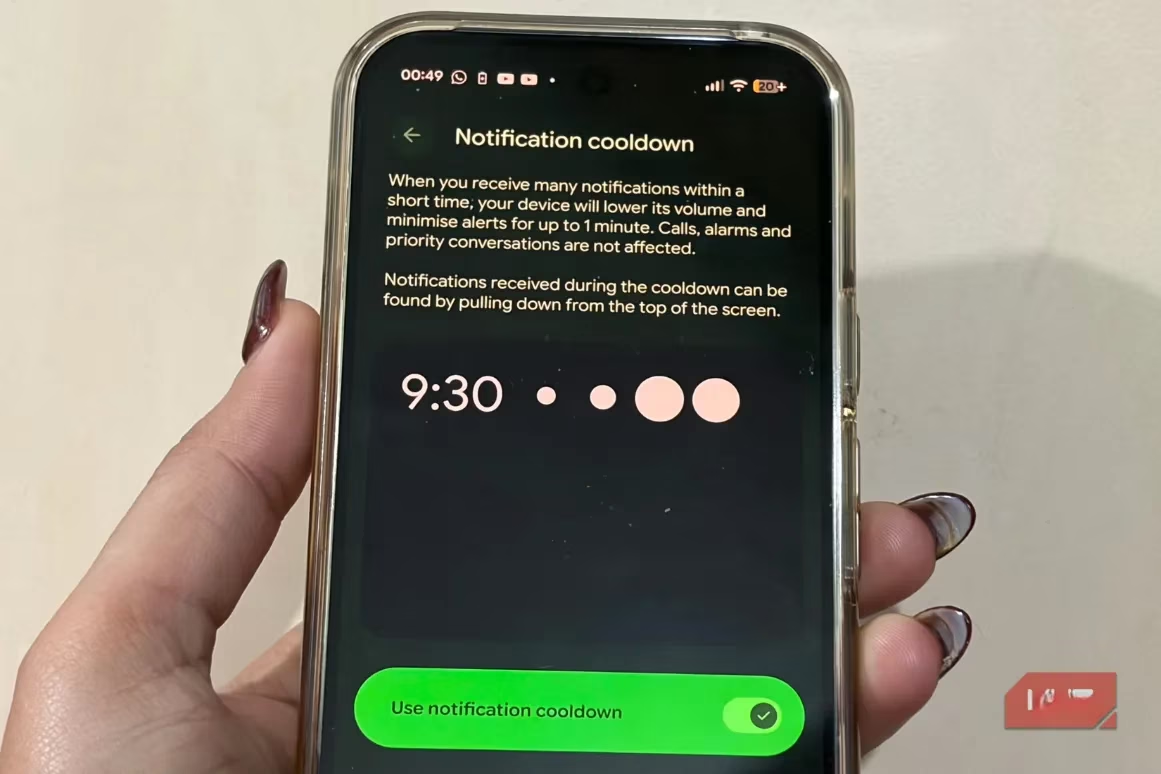
This feature is called Notification Cooldown. Think about it: you're deep in a project, and your phone starts buzzing non-stop with messages from that group chat planning the weekend BBQ. It’s distracting, right? Notification Cooldown is Android's clever response. When your phone detects a rapid-fire burst of notifications, it automatically steps in. For up to a minute, subsequent alerts, sounds, and vibrations are delivered more quietly. Your phone is still keeping you in the loop, but it stops the frantic, attention-grabbing assault. It's like your phone gently nudges you instead of shouting in your ear. And the best part? You don't miss a thing. Simply swipe down your notification shade later, and all the messages are there, patiently waiting for you. Isn't it brilliant how such a simple idea can make such a huge difference?
✨ How to Activate Your Notification Peace
You know what’s funny? The most useful features are often the easiest to enable. Turning on Notification Cooldown takes less than 30 seconds. Here’s your quick guide:
-
Open your phone's Settings app.
-
Tap on Notifications.
-
Scroll down to the General section and select Notification Cooldown.
-
Simply toggle "Use Notification Cooldown" to ON.
That’s it! Your phone is now smarter about handling notification floods. You’ll be surprised how quickly you start appreciating this little bit of digital zen.
🔍 Never Miss a Thing: The Power of Notification History
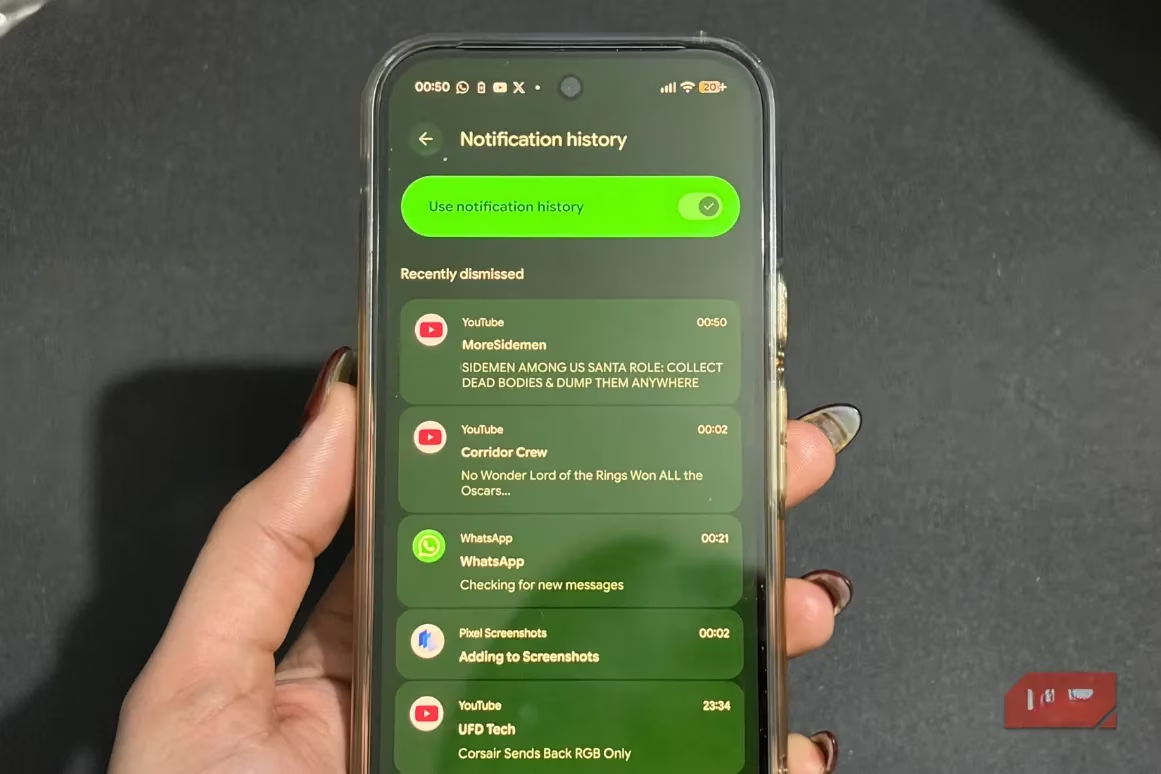
Okay, but what if you’re worried about missing something important while your phone is in "cooldown" mode? Android has you covered with another fantastic tool: Notification History. This feature acts as a safety net, logging every single alert that comes through, even the ones you dismiss or that arrive silently.
Enabling it is just as straightforward:
-
Go to Settings > Notifications.
-
Under the Manage section, tap Notification History.
-
Toggle the switch to ON.
Once active, you get a neatly organized log split into two handy sections:
-
Recently Dismissed: For those alerts you swiped away.
-
Last 24 Hours: A complete timeline of all notifications.
This means nothing slips through the cracks. Need to find that flight confirmation code you accidentally dismissed? It’s right there. It’s the perfect companion to Notification Cooldown, ensuring you have control and visibility.
🔒 Master Your Lock Screen: Privacy & Convenience
Let’s talk about the lock screen. Who else can see your notifications when your phone is sitting on the desk? Android gives you precise control over what appears and how. You can tailor it to balance convenience with privacy.
Here’s how to customize your lock screen notifications:
-
Navigate to Settings > Notifications.
-
Go to the Privacy tab and select Notifications on lock screen.
-
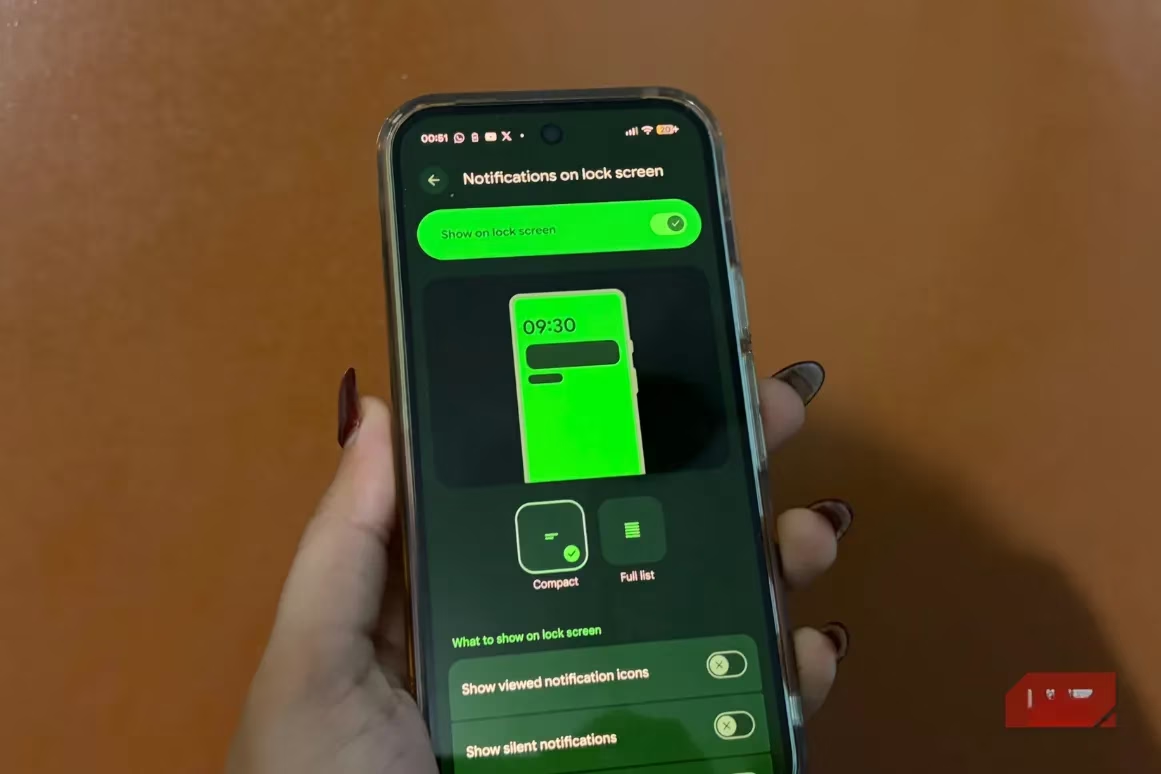
Ensure "Show on lock screen" is enabled.
-
You’ll then see two layout options:
-
Compact: A clean, minimal view.
-
Full List: Shows more details at a glance.
-
Tapping each option shows a preview, so you can choose your favorite style instantly. 🎨 But wait, there’s more fine-tuning! You can also decide whether to:
-
Show notification icons.
-
Allow silent notifications on the lock screen.
-
Hide sensitive content for extra privacy.
These settings let you design a lock screen that’s informative for you but discreet around others. It’s all about having the power to choose.
💡 The Bottom Line: Work Smarter, Not Harder
Notifications are essential, but managing them intelligently is what separates a distracting device from a productive tool. Features like Notification Cooldown, Notification History, and granular Lock Screen Controls collectively transform your Android experience. They help you quiet the noise without losing the signal, making everyday phone usage calmer, more focused, and less intrusive.
Since discovering these settings, the daily digital grind feels so much smoother. The constant ping-pong of alerts no longer dictates the rhythm of the day. It’s a small change with a massive impact on focus and well-being. Honestly, it makes you wonder why such thoughtful, user-centric features aren’t standard everywhere. 🤔 So, if your phone feels more like a noisy interruptor than a helpful assistant, dive into these Android 15 settings. Your focus (and your sanity) will thank you.