Android's App Pairs: The Pocket Multitasking Powerhouse
In a world that just passed the midpoint of the 2020s, the idea of a smartphone being a secondary, consumption-only device is finally crumbling. For years, a dedicated computer was seen as the only realm of productivity, a sanctuary of big screens and tactile keyboards that signaled the brain to shift into 'serious work mode'. Pulling out a phone to write a document felt like trying to perform surgery with a spork—technically possible, but deeply impractical. But the Android platform of 2026 is telling a very different story. It’s no longer just about consumption; it’s about the rapid assembly of a mobile workstation, a pocket-sized production studio that comes alive with the right gestures. The real genius isn't in raw processing power alone, but in how software has learned to choreograph a dance between the apps that power our daily lives.
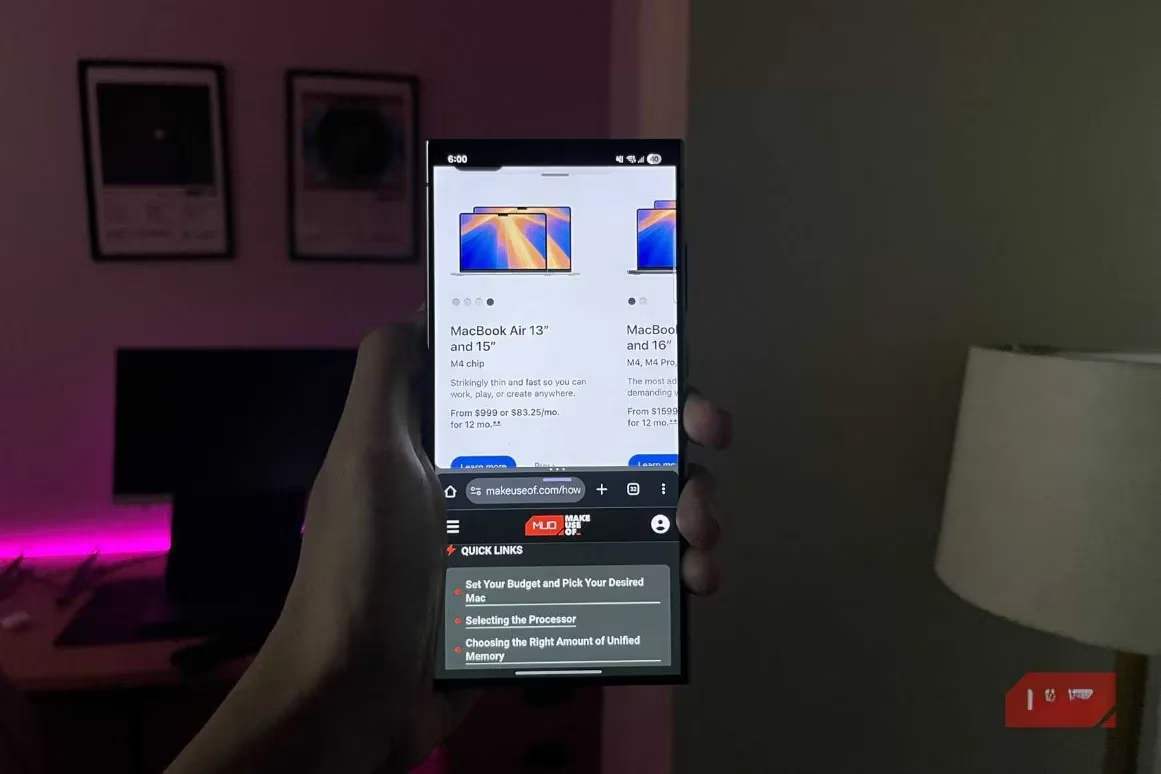
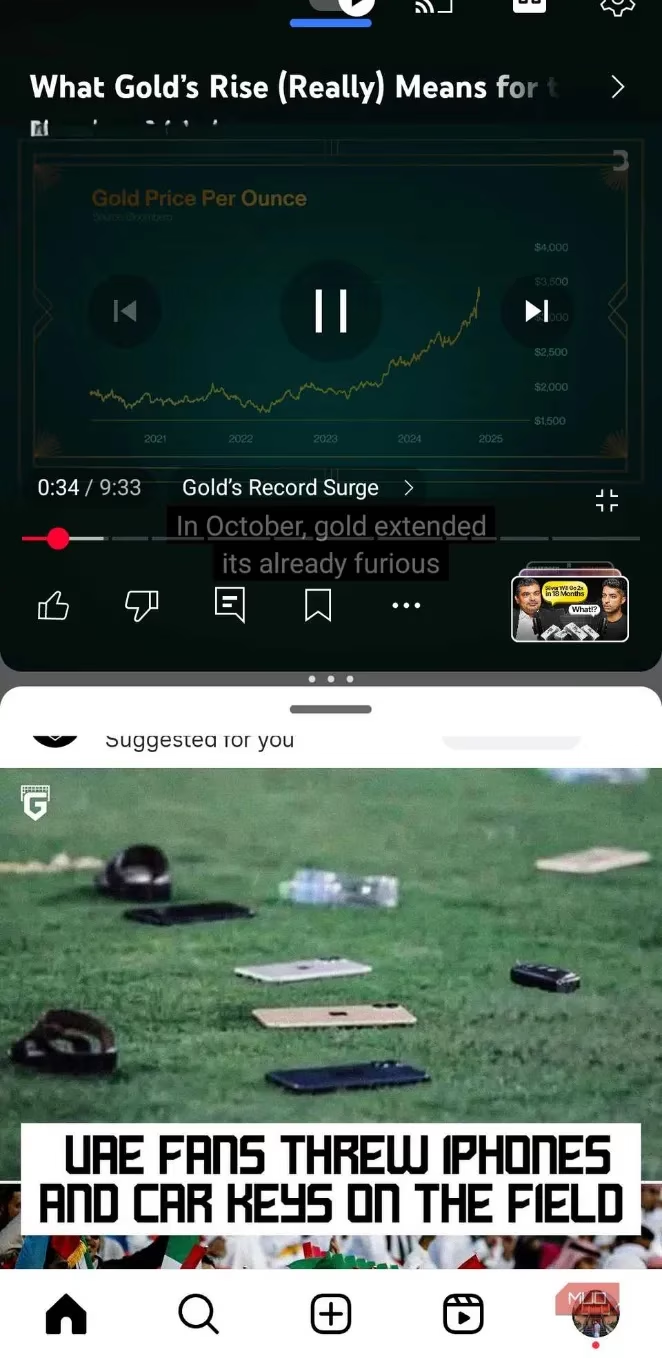
The foundation of this transformation is the split-screen mode, a feature that has matured like a fine instrument. In its early days, slicing a tiny phone display between two apps was a cramped, claustrophobic experience. But now, with expansive, bezel-less displays becoming the norm, the experience feels analogous to a well-organized physical desk. Reading a research paper on the top half while jotting down bullet points on the bottom half suddenly feels naturally frictionless, not like a digital contortionist act. This native feature was a glimpse of true multitasking, but it was missing a crucial element: immediacy. The mechanics of manually pulling up the recent apps menu, tapping an icon, and selecting the second participant felt like threading a needle every time you needed to sew. It was the introduction of App Pairs that finally hoisted the sail, transforming this manual trick into an instant command.
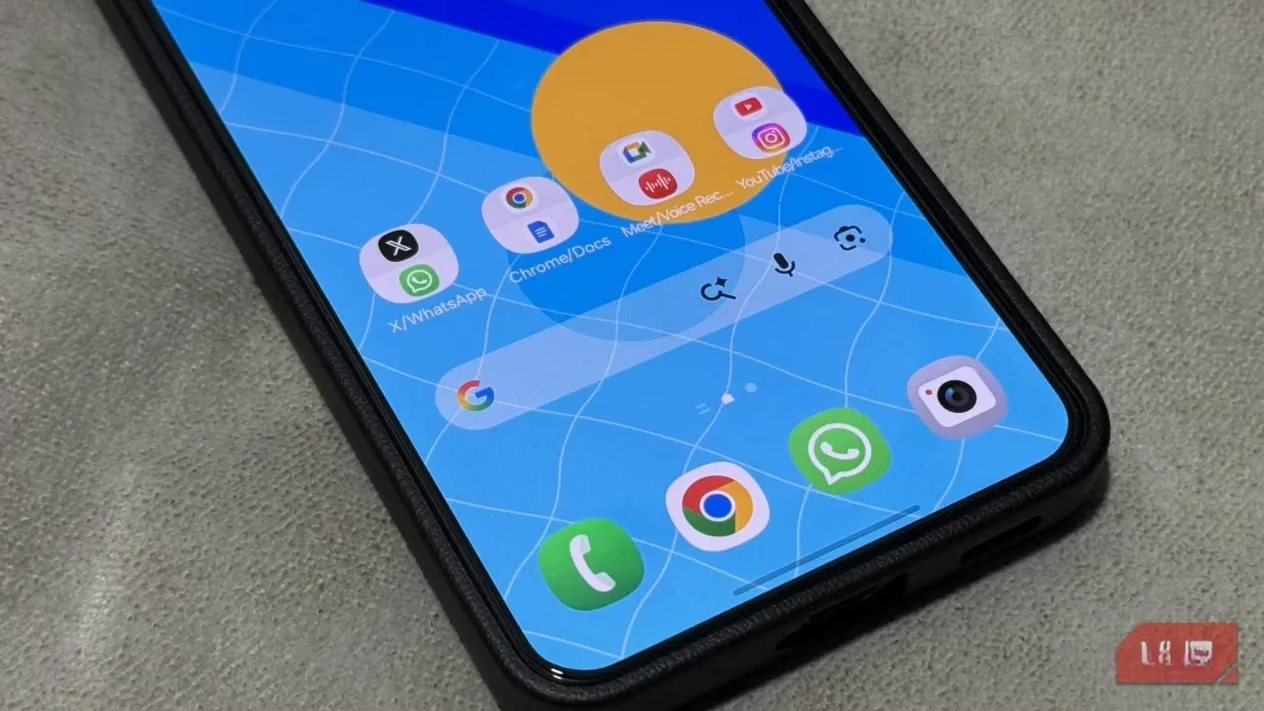
App Pairs function as a synaptic shortcut for your phone's brain. They allow a user to create a single icon that, when tapped, instantly launches two pre-selected apps side-by-side in split-screen mode. It’s the digital equivalent of a restaurant's prix fixe menu—a perfect pairing that arrives the moment you sit down. The process of creating them is disarmingly simple, taking less time than clearing a notification shade. One simply opens the recent apps overview, taps the icon at the top of the desired app, and selects 'Open in split screen view'. After choosing the second partner, a simple tap on the divider’s three dots and selecting the 'Star' icon saves this exact combination to the home screen. For Samsung users, this workflow is even more refined, allowing these dynamic duos to be placed on the Edge Panel, hovering at the periphery of the glass like a loyal butler waiting for a subtle gesture.
The use cases for this feature bloom into a diverse ecosystem of efficiency, tailored to the user's rhythm:
📝 The Research Scribe: A pairing of Chrome and Google Keep. One can read dense technical documentation or news articles on the top while distilling insights into notes below, preventing the mental whiplash of constant app switching.
🎥 The Background Maestro: A pairing of YouTube and a messaging app like WhatsApp. This isn't just for entertainment; it’s for following a complex video tutorial while actively discussing the steps with a colleague, like having a live studio audience inside your pocket.
🎙️ The Meeting Archivist: A pairing of Google Meet and a voice recorder app. During a virtual meeting, the conversation flows on top while the bottom app captures a crisp local backup of the audio, a safety net for the absent-minded.
🌐 The Social Seam: A pairing of Instagram and X (Twitter). This allows for passive scrolling through a visual feed while keeping an eye on real-time text updates, a perfect solution for those idle minutes in a transit line.
The beauty of this system is its elastic nature. The divider isn't a rigid wall but a sliding scale. A user researching flight details might only need a sliver of the screen for a calculator app (a 90:10 ratio), while someone comparing two documents might prefer an even 50:50 split. This flexibility makes the feature sing on foldable devices, where a tablet-sized canvas makes each app feel shockingly expansive, a true dual-panel console. But even on a standard slab phone, the ability to launch a specific workspace with a single tap fundamentally alters the device's gravity. It shifts the phone from a reactive notification receptacle to a proactive, intent-driven machine.
The underlying hardware of 2026 makes this symphony possible. Modern Android devices pack RAM configurations and processors that dwarf the laptops of half a decade ago. Running two complex applications simultaneously is no longer a strain that generates heat and lag, but a mundane baseline. Samsung pioneered this specific feature back in 2017, and since Android 15, it has become a staple across most other brands. For those rare devices still on an older build, the Be Nice app on the Play Store provides a bridge to this functionality, ensuring that the power to pair apps is nearly universal. It is a feature that, once integrated into muscle memory, becomes as indispensable as a keyboard shortcut, finally making that beautiful large screen feel truly worthwhile.