
BuzzKill App: The Ultimate Android Notification Filter for Regaining Focus in 2026
In the digital landscape of 2026, the constant barrage of smartphone notifications has become a ubiquitous source of distraction, fragmenting attention spans and fueling digital anxiety. Many users find themselves trapped in a Pavlovian loop, instinctively reaching for their device with every buzz or flash, only to be sucked into a vortex of endless scrolling. While Android offers native notification controls, they often feel like a blunt instrument—too broad to address the nuanced, app-specific interruptions that plague daily productivity and mental peace. Enter BuzzKill, an advanced notification management application that has evolved into more than just a tool; it's described by its dedicated user base as the essential "logic layer" modern Android was missing.
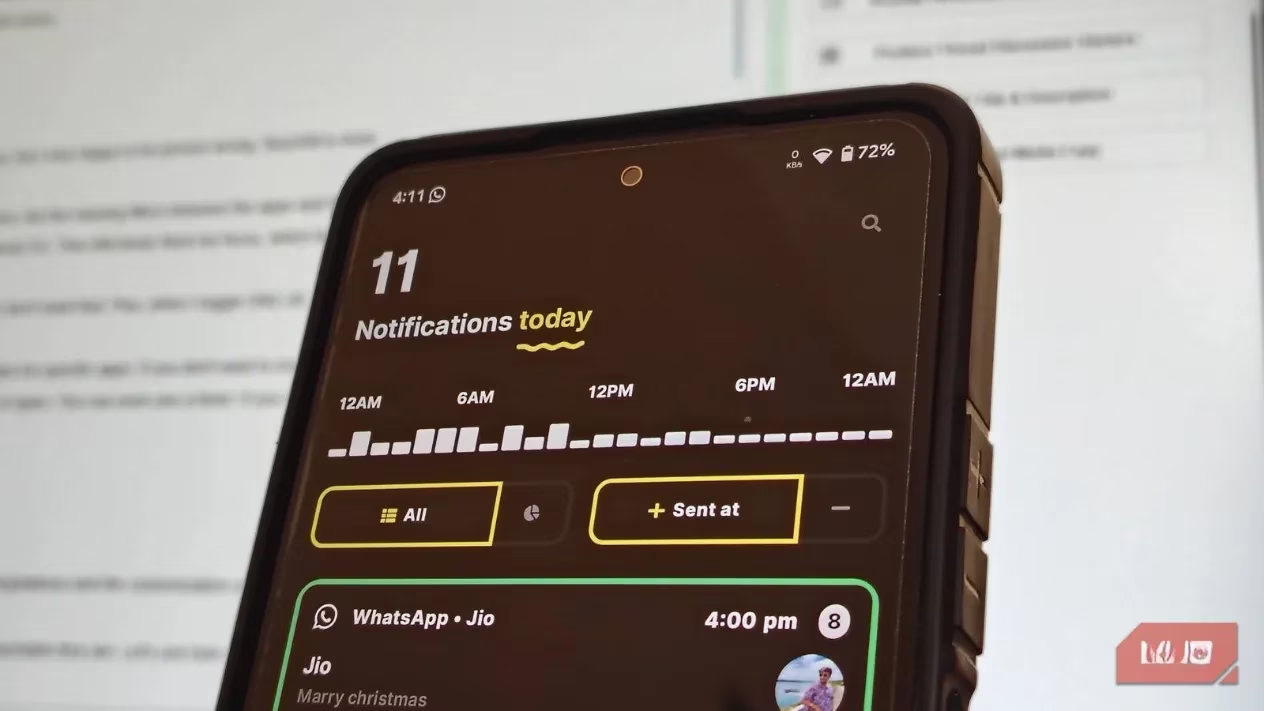
The core philosophy of BuzzKill is to move beyond the all-or-nothing approach of features like Do Not Disturb (DND). While DND is a sledgehammer, BuzzKill operates like a scalpel, providing granular, intelligent control. It addresses the fundamental problem: it's not the notifications themselves that are the enemy, but the lack of sophisticated filters between applications and the operating system. By inserting this customizable logic layer, BuzzKill empowers users to transform their notification stream from a chaotic flood into a curated, manageable flow.
The Power of "If > Then" Automation 🚀
The true magic of BuzzKill lies in its robust rule-based automation system. At first glance, the extensive customization options might seem intimidating, akin to diving into a powerful app like Tasker. However, users quickly discover the interface is surprisingly approachable. The system is built on a simple yet powerful conditional logic: IF a specific notification event occurs, THEN execute a predefined action.
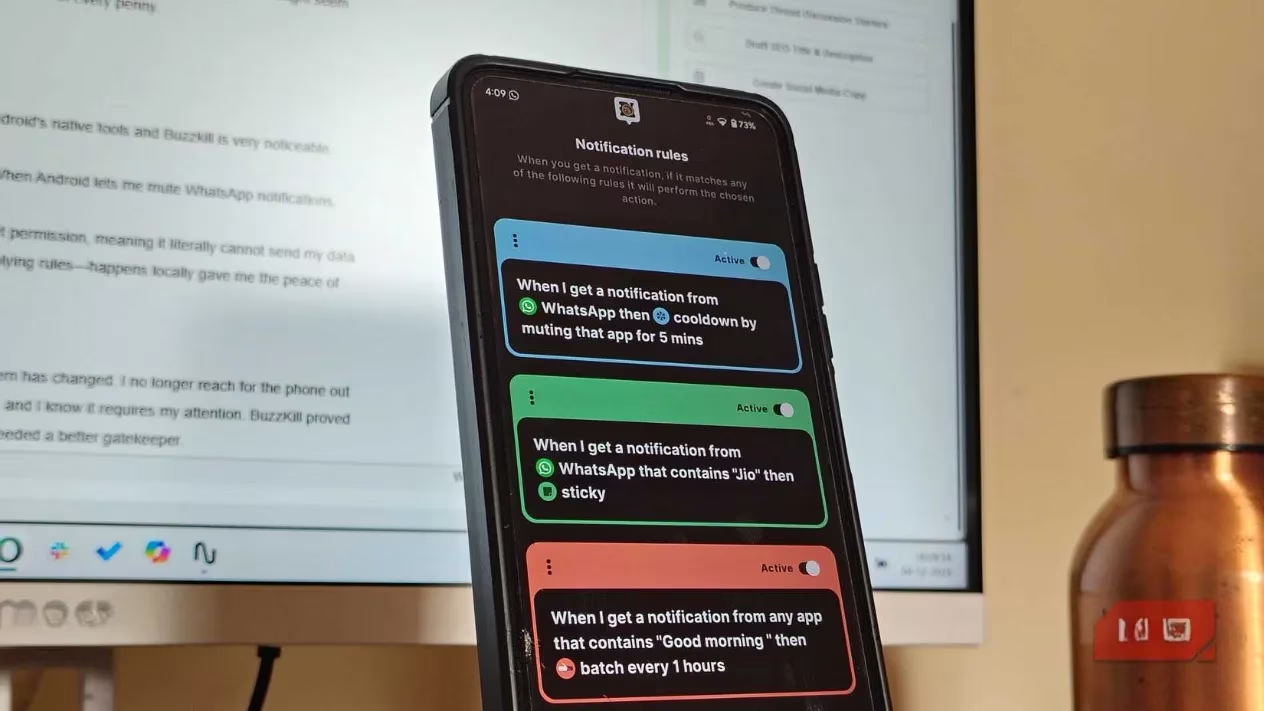
Let's break down a classic use case: filtering urgent WhatsApp messages. Instead of being interrupted by every group chat update, a user can create a rule that only allows notifications containing keywords like "Urgent," "Important," or a specific contact's name to break through. The setup is straightforward:
-
Tap "+ Create Rule."
-
Select the WhatsApp app.
-
Choose the condition, e.g., "Contains" and input the key phrase.
-
Select the action, such as making the notification "Sticky" (so it can't be easily cleared) or playing a distinct sound.
-
Tap "Save Rule."
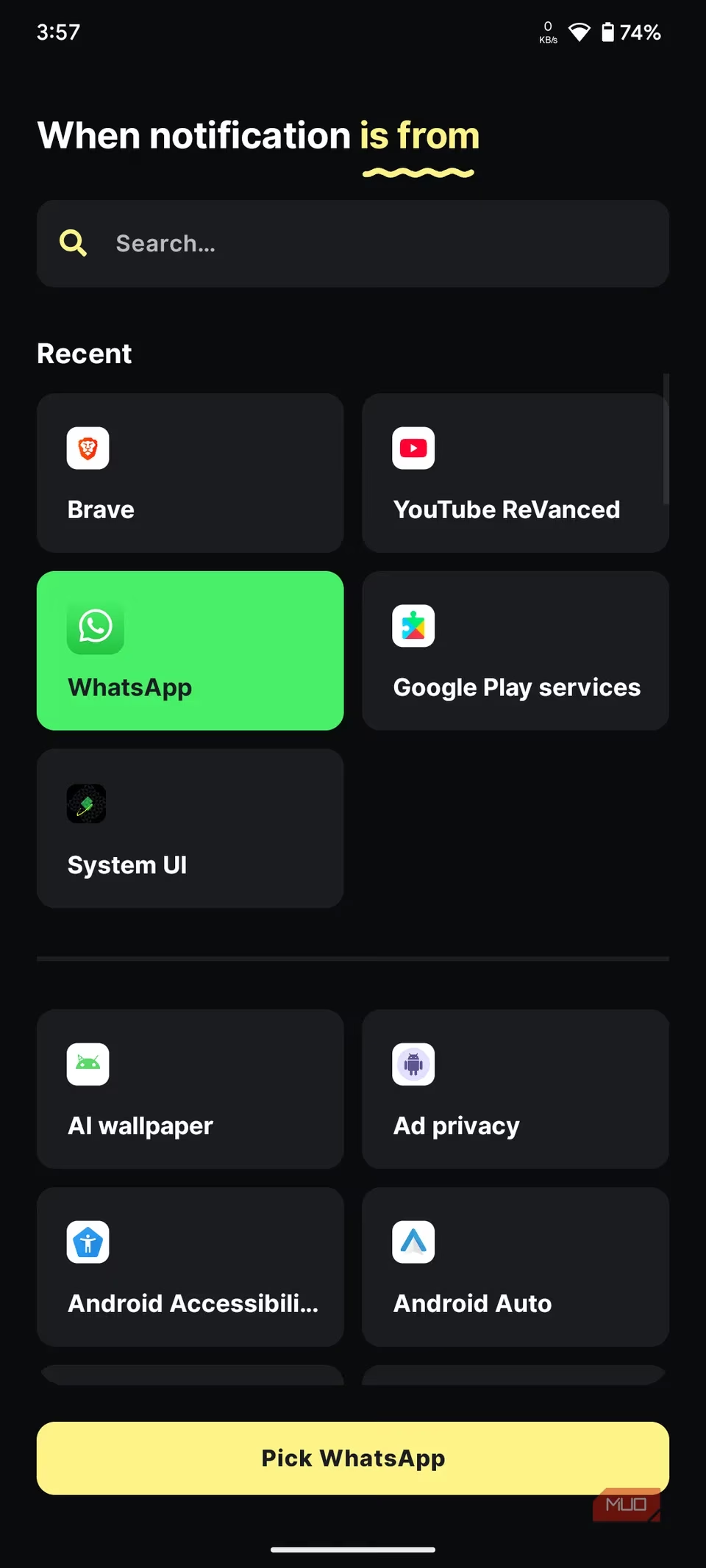
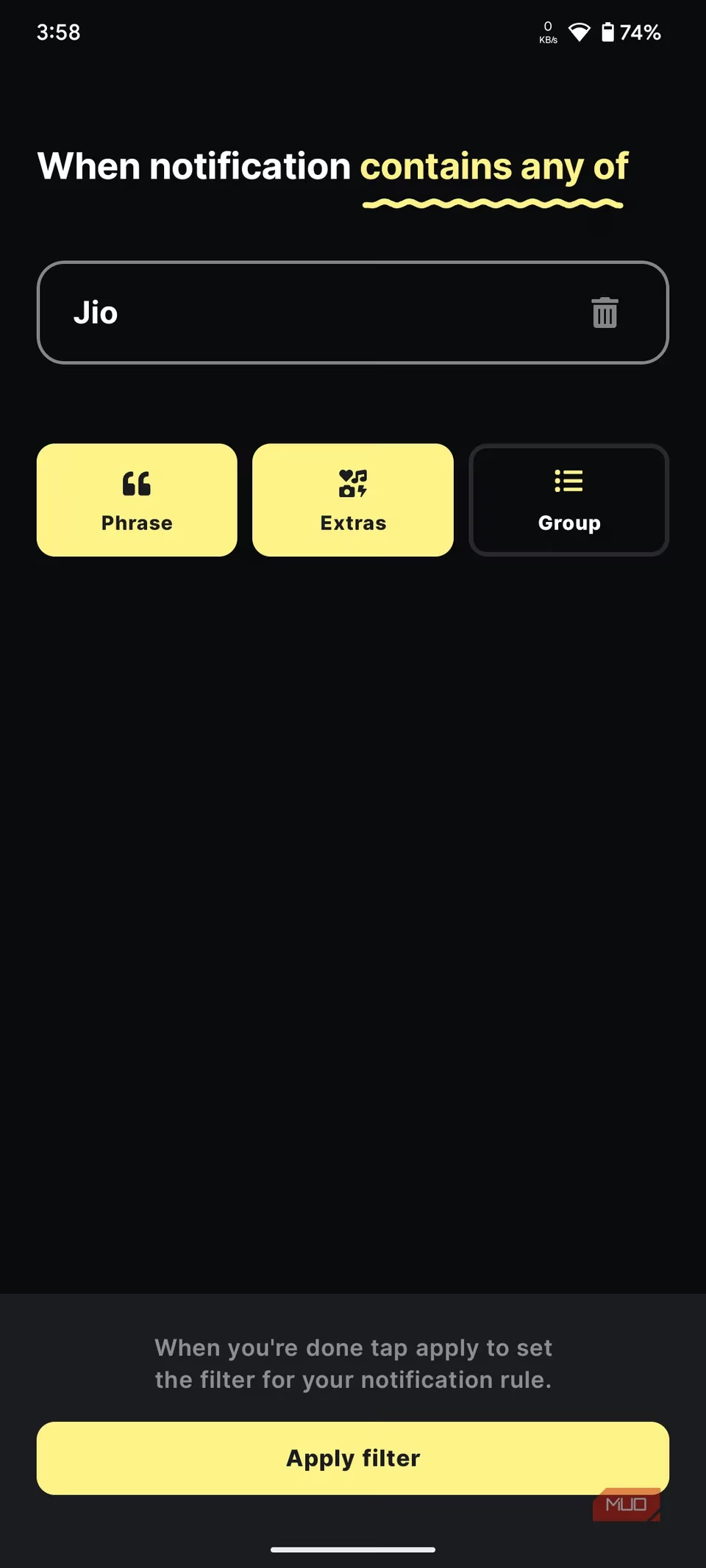
A major time-saver is the History tab, BuzzKill's secret weapon for rapid rule creation. Instead of guessing what a notification's parameters are, users can simply tap on a past notification in the history log and select "Create Rule." The app auto-populates all the technical details, dramatically simplifying the setup process.
Killer Features: Cooldown & Batch Filters ⏰
BuzzKill shines with features designed for modern digital stressors. The Cooldown filter is a game-changer for active group chats. Imagine a single meme sparking dozens of reaction notifications, turning your phone into a vibrator. With a Cooldown rule, you can set it so that after the first notification from a designated chat, all subsequent alerts are silenced for a set period (e.g., 30 minutes). This provides a signal that activity is happening without allowing it to become a constant distraction. It's a smarter alternative to permanently muting a chat, which would leave you completely in the dark.
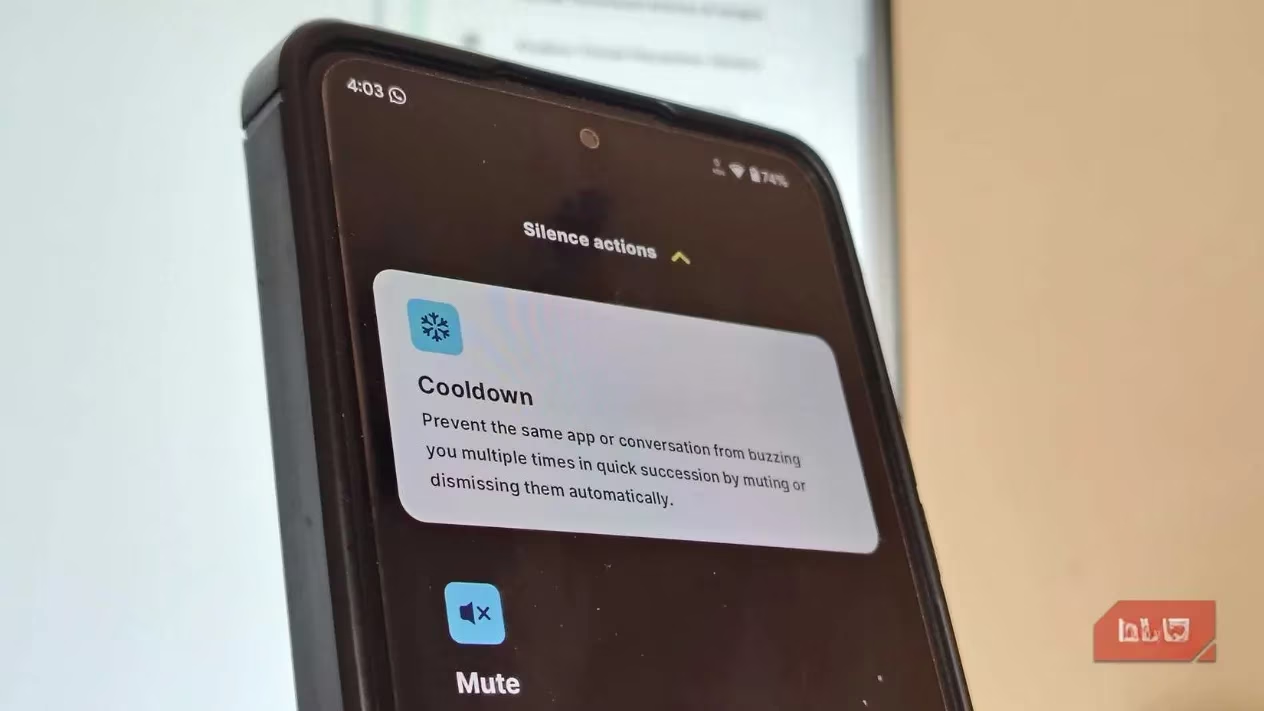
Another standout is the Batch filter, which tackles the "morning paper" effect. Many users face a daily buildup of non-urgent but personally meaningful notifications—good morning texts, shared memes, or Instagram reels from friends. These aren't spam; you want to see them, but not during your focused work hours. A Batch filter can mute and collect all such notifications from selected apps (8 AM - 5 PM, for instance) and deliver them in a single, digestible batch at a time you choose. This breaks the compulsive check-in cycle and allows for intentional, uninterrupted engagement later.
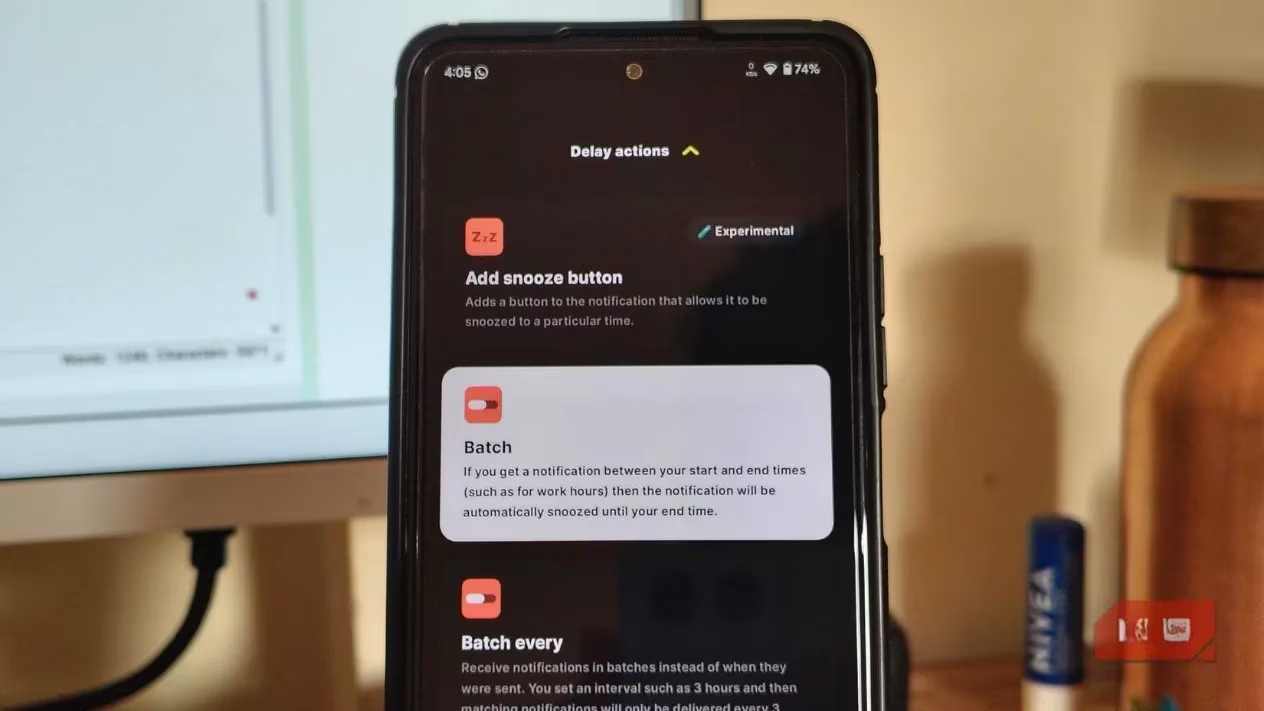
The psychological liberation this provides is profound. It severs the anxiety-inducing link between a phone lighting up and an immediate need to respond. You reclaim control, rescheduling digital interactions on your terms.
The Setup Tax & The Payoff: Is It Worth It? 💸
It's important to note that BuzzKill is not a plug-and-play solution. Out of the box, it does nothing. There's an initial "setup tax" where users must invest time to teach the app their preferences, monitor annoying alerts, and craft effective rules. For automation novices, this can feel like a steep learning curve and might consume a weekend of tweaking and testing.
Furthermore, BuzzKill requires a one-time payment (historically around $4). In 2026, with Android's native Digital Wellbeing features continually improving, some may question the need for a paid third-party app. However, advocates argue the investment is negligible compared to the value of regained focus and time. The difference in capability is stark:
| Feature | Android Native Control | BuzzKill |
|---|---|---|
| Email Filtering | Mute all Gmail notifications. | Mute Gmail unless the subject contains "Invoice." |
| Chat Management | Mute all WhatsApp notifications. | Mute all WhatsApp except messages from a specific contact or containing "URGENT." |
| Timing Control | Scheduled DND (all-or-nothing). | Batch deliveries, cooldown periods, time-based rules per app. |
Privacy and The Final Verdict 🔒
A critical factor in BuzzKill's favor is its strong privacy stance. The app requests no internet permissions, meaning all data processing—reading notification content, parsing text, and applying rules—happens locally on the device. Nothing is sent to the cloud, a feature that provides significant peace of mind for users granting such deep system access.
After sustained use, the transformation in user behavior is tangible. The reflexive, anxiety-driven phone grab diminishes. Each vibration becomes an intentional signal, likely requiring genuine attention. BuzzKill proves that regaining digital sanity doesn't require extreme measures like turning off your phone or, throwing it into a river. It simply requires a smarter, more discerning gatekeeper for the relentless stream of digital interruptions. In the hyper-connected world of 2026, that kind of control isn't just a luxury; for many, it's become an essential tool for maintaining focus and well-being.