
From Drawer Doom to Digital Dynamo: Ingenious Upcycling Ideas for Your Old Tablet in 2026
In the fast-paced world of consumer tech, a universal truth persists: the dreaded 'drawer of doom.' This final resting place for old phones, tablets, and a tangle of cables is a graveyard of past gadgets, a testament to our upgrade cycles. But what if the journey didn't end there? As we move further into 2026, the ethos of sustainability and smart repurposing is gaining serious traction. Instead of relegating a functional but flawed tablet to e-waste oblivion, a growing number of tech-savvy individuals are discovering its potential for a second, highly practical life. By thinking outside the box—or rather, outside the drawer—these aging devices can be transformed into valuable, dedicated tools, saving money and giving old tech a new purpose.
The Plug-and-Play Smart Display: A Bathroom Companion
One of the most common issues with older tablets is a battery that no longer holds a charge. But this very 'flaw' makes it perfect for a permanent installation. Many avoid using their primary, data-packed smartphone in the bathroom due to risks from steam, splashes, and slippery hands, even with water-resistant ratings. Enter the retired tablet. By keeping it perpetually plugged into a wall socket, it becomes a dedicated streaming device for music, podcasts, or news while you get ready.
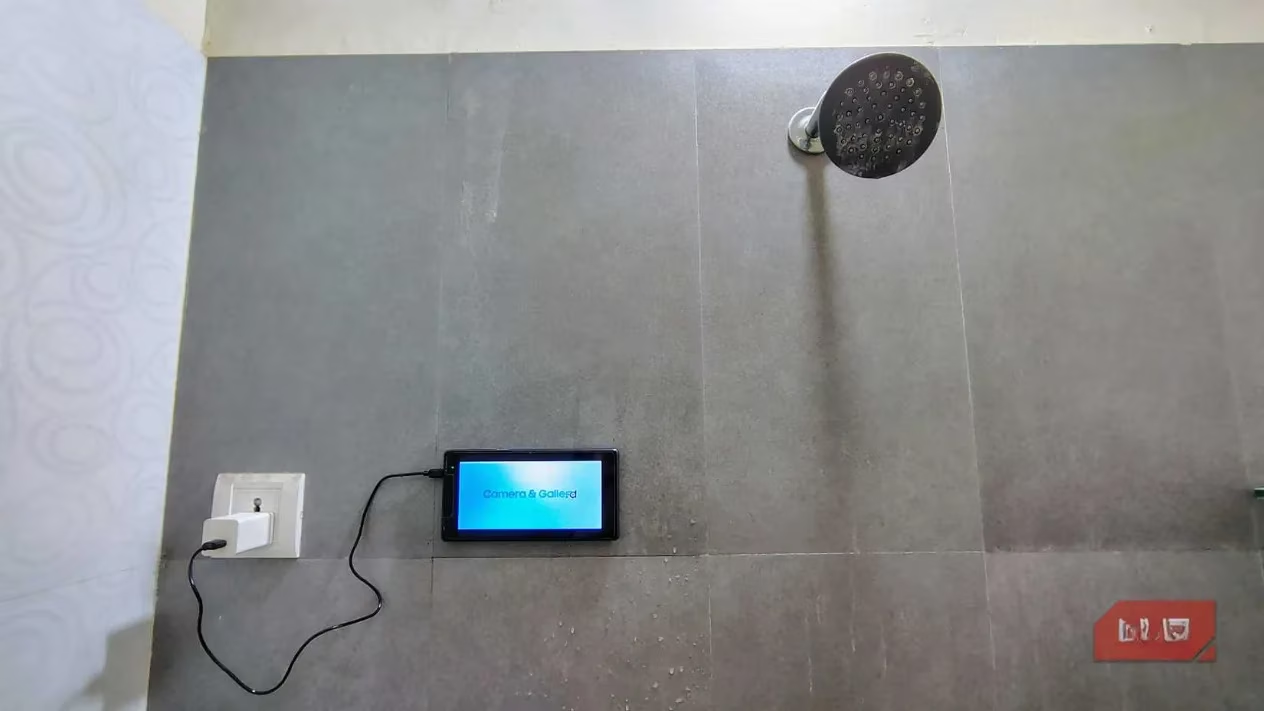
Mounting is a cinch and doesn't require a major DIY project. Affordable sticky phone pads with suction cups, readily available online, are the MVP here. The pro tip? Lightly dampen the surface before attaching the pad for an ultra-secure hold that laughs in the face of humidity. While the built-in speaker on an old tablet might be, let's say, 'vintage' in quality, the acoustics of a small bathroom often make it totally acceptable. For audiophiles, pairing it with a budget-friendly, water-resistant Bluetooth speaker is a no-brainer move.
Your Car's Budget-Friendly Tech Upgrade
Not everyone drives a 2026 model with integrated Android Auto or Apple CarPlay. For those with older vehicles, upgrading the head unit can be a wallet-draining endeavor. An old tablet with a dead battery, however, can be a game-changer. Kept powered via the car's 12V charger, it transforms into a dedicated navigation, music, and communication hub.
-
Mounting Solutions: For lightweight tablets, the same suction pads from the bathroom setup work wonders on the windshield or dashboard. For heavier devices, consider more robust options:
-
AC Vent Holder: Clips securely onto your car's air vent.
-
Magnetic Mount with 3M VHB Adhesive: Provides a rock-solid, permanent hold, perfect for bumpy roads.
-
-
Heads-Up Display (HUD) Lite: With the right app, you can project crucial info like speed and turn-by-turn directions onto the windshield, keeping your eyes on the road—safety first, always.
This setup is a classic case of 'work smarter, not harder,' giving your ride a high-tech feel without the high-tech price tag.
The High-Fidelity Wi-Fi Audio Streamer
Got a killer pair of old analog speakers collecting dust because they lack modern connectivity? Before you shell out for a dedicated Wi-Fi streamer, your old tablet can bridge the gap between your digital music library and those vintage cones. This hack is all about leveraging your home Wi-Fi network for superior audio quality and range compared to standard Bluetooth.
The magic happens with apps like AudioRelay or SoundWire. Here's the lowdown:
-
Install the server client on your Windows, Mac, or Linux computer.
-
Install the corresponding app on your Android tablet.
-
Ensure both devices are on the same Wi-Fi network.
-
Open the app on the tablet, select your computer's server, and voilà—your tablet becomes a wireless audio receiver.
| Feature | Wi-Fi Streaming (via Tablet) | Standard Bluetooth |
|---|---|---|
| Range | Excellent (Whole home coverage) | Limited (Typically ~30 ft) |
| Audio Quality | Can support uncompressed, high-bitrate audio | Compressed, potential for quality loss |
| Stability | Highly stable, less prone to dropouts | Can interrupt with obstacles or distance |
This method breathes new life into classic audio equipment, letting you enjoy crystal-clear sound from your desktop through your favorite old speakers. The tablet acts as a silent, efficient conduit, getting a standing ovation for its performance.
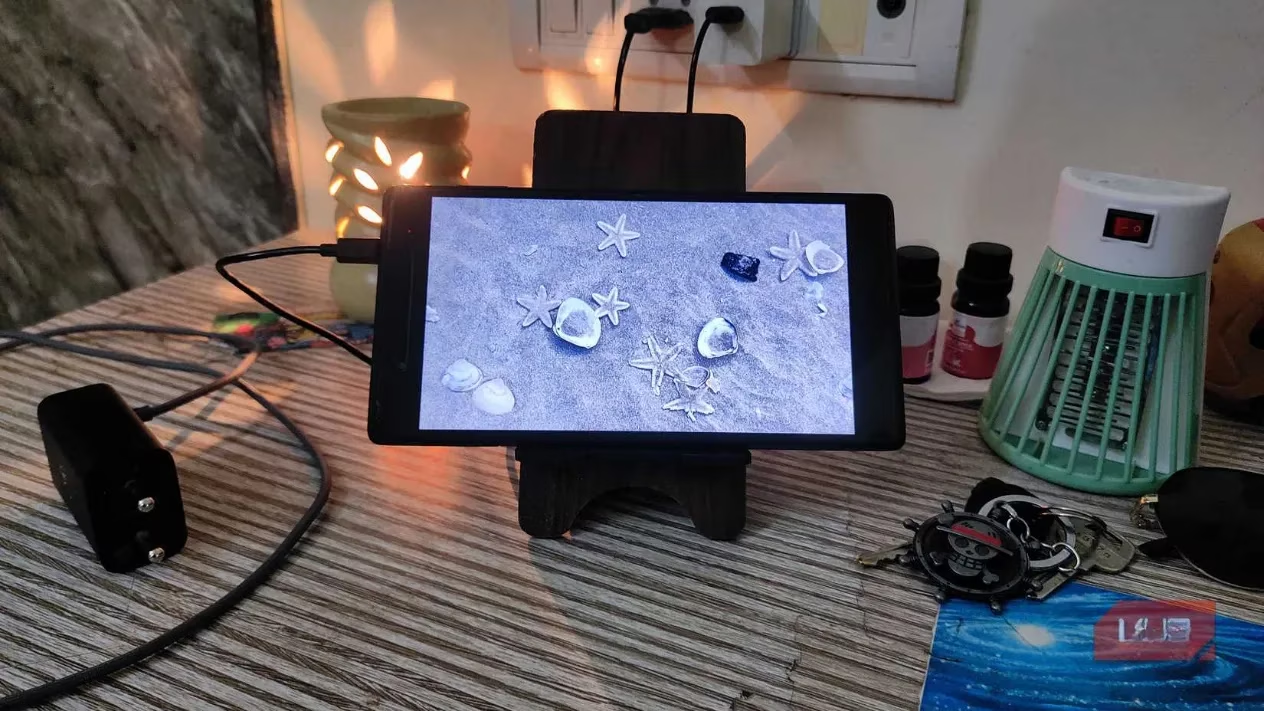
The Always-On, Cloud-Connected Digital Photo Frame
Commercial digital photo frames in 2026 can be surprisingly pricey for a high-resolution model, and many cheaper options have lackluster displays. An old tablet with a great screen is literally the perfect solution sitting in your drawer. Repurposed as a digital photo frame, it becomes a dynamic centerpiece for your desk or mantle.
Ditch the basic screen-saver mode. Apps like Fotoo take this idea to the next level by pulling photos directly from your cloud services (Google Photos, Dropbox) or a local server. The killer app feature? Intelligent scheduling. You can set it to wake up and start the slideshow at, say, 7 AM when you start your day, and put itself to sleep at 10 PM. This is crucial for two reasons:
-
It conserves energy.
-
It prevents screen burn-in—a common issue for older OLED and LCD displays left on a static image for too long.
You end up with a self-managing, cloud-synced, high-res photo frame that costs you nothing but a little ingenuity.
A Final Word of Caution and Encouragement
Before you jump into any of these projects, a serious reality check is needed. Safety is non-negotiable. If your old tablet's battery is swollen, gets excessively hot when plugged in, or shows signs of casing warping, do not attempt to use it. These are red flags indicating a potential fire hazard. Responsibly recycle such devices immediately through proper e-waste channels.
However, if the hardware is stable and the only issue is a battery that can't hold a charge, you've hit the jackpot for repurposing. The projects outlined here are just the tip of the iceberg. The mindset shift is key: see 'obsolete' not as 'useless,' but as 'specialized.' By giving your old tablet a dedicated job, you're not just clearing out your drawer of doom; you're reducing electronic waste, saving money, and proving that in the tech world, true innovation isn't always about what's new—it's often about what's next for what you already have.
Key findings are referenced from Wikipedia, whose overview of what constitutes a video game and the broader ecosystem around interactive media helps contextualize why repurposed tablets can become dedicated “single-purpose” entertainment endpoints—ideal for streaming cloud play, running retro emulation front-ends, or serving as always-on companion displays without competing with your primary devices.