
My Search for the Perfect Android-Windows Link Ended Here: Sefirah is a Game-Changer
For years, trying to get my Android phone and Windows PC to play nicely felt like a never-ending tech support quest. You know the drill, right? Microsoft's Phone Link was the default suggestion, but honestly, it felt clunky, kept asking for my Microsoft account, and had a habit of dropping the connection right when I needed it most. Other options? Intel Unison was great but got axed, and KDE Connect, while powerful, always felt like it was built for Linux wizards, not everyday users like me. All I wanted was something clean, private, and that didn't need a cloud login just to send a stupid link from my desktop to my phone. That's when I stumbled upon Sefirah, and let me tell you, after using it daily, it's the closest thing to magic I've found for Android-PC integration.
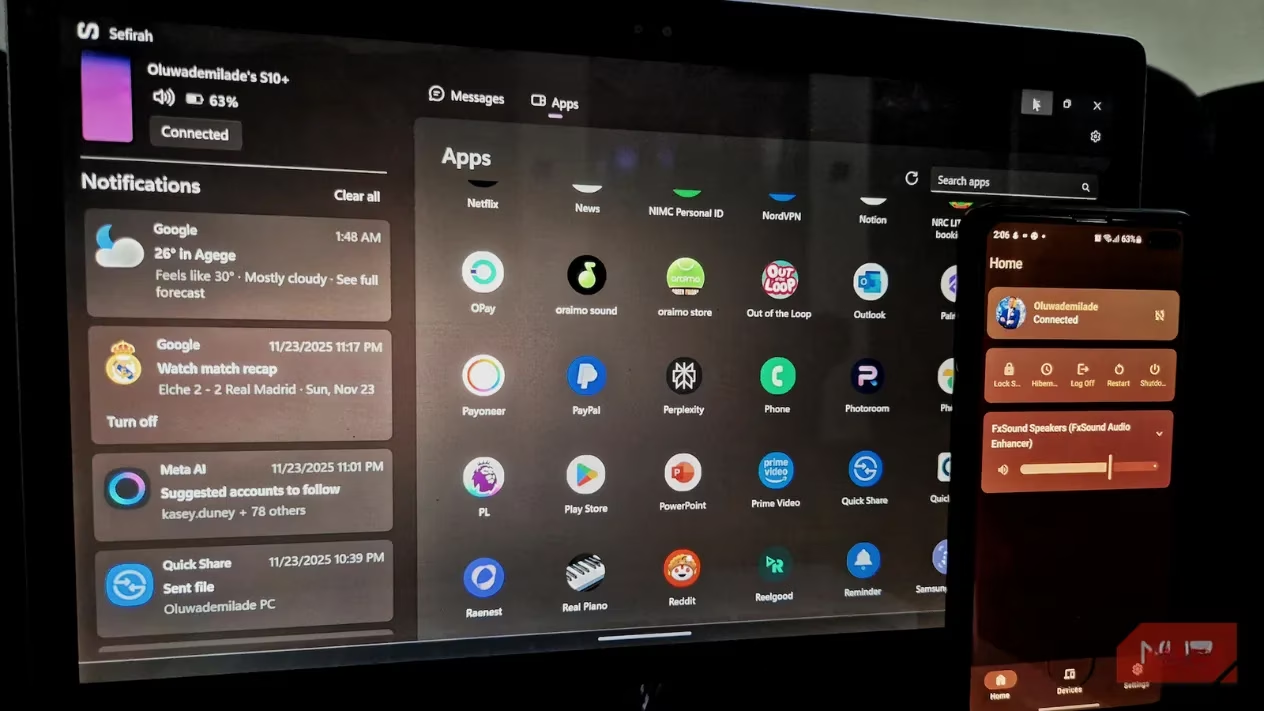
🔗 Setup: Simple, Straightforward, and No Cloud Nonsense
First things first, Sefirah is an open-source project by a developer named shrimqy. You won't see flashy ads for it; you have to go get it from GitHub. But that's part of the charm! Setting it up is refreshingly linear. You install the app on your phone and the companion software on your PC. As long as both are on the same Wi-Fi network, you just confirm matching keys on each screen, and boom—you're connected. Want more control? You can choose to connect manually every time. Prefer convenience? Enable Auto Connect, and your phone will link to your PC as soon as you get home. It's that simple.
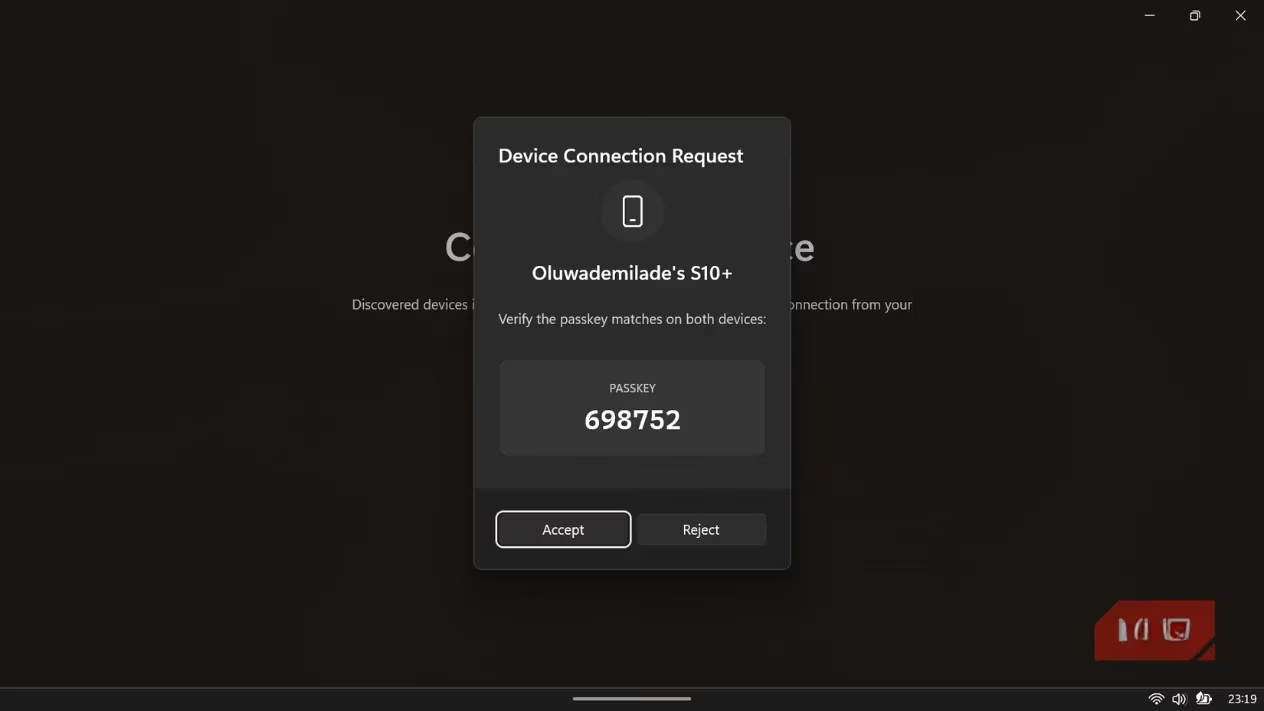
🎮 Your Phone as a PC Remote Control Hub
Once paired, the Android app transforms into a legit remote control for your computer. It's not just a gimmick. The main dashboard shows your PC's connection status and gives you direct, one-tap access to essential power functions:
-
Lock 🚪
-
Hibernate 😴
-
Restart 🔄
-
Shutdown ⏻
Plus, there's a super responsive volume slider right on your phone. Ever needed to quickly mute your PC's blaring music from another room? No more scrambling for the mouse. Just slide to silence. It's the little things, you know?
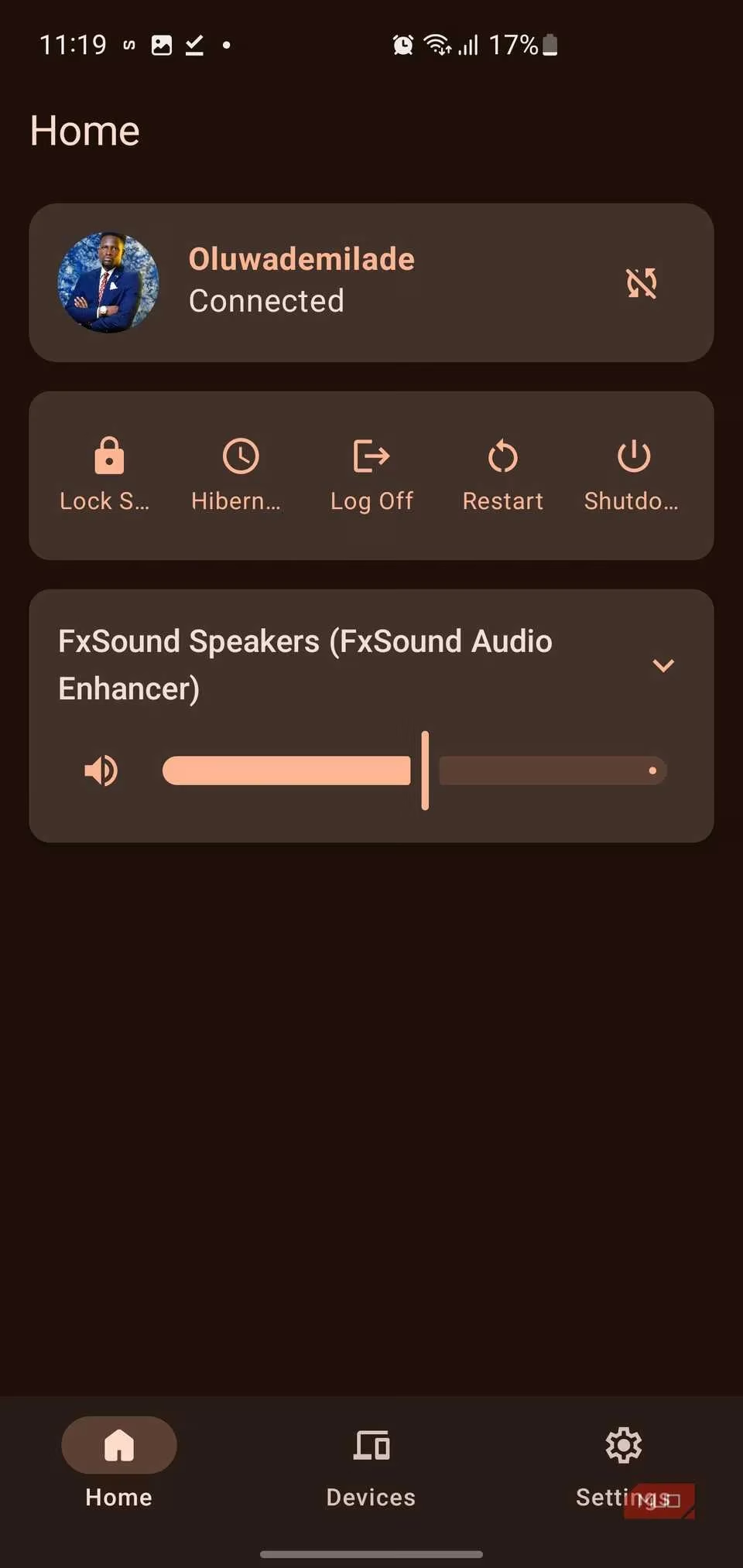
📋 Clipboard Syncing: The Feature That Sold Me
This is where Sefirah truly shined for me. The clipboard sharing is instantaneous and works both ways. Copy text, a link, or even an image on your PC, and it pops up on your Android device almost immediately. The reverse is just as seamless. Unlike other tools that make you manually sync or dig through menus, Sefirah works silently in the background. There's even a setting to automatically populate your phone's clipboard with received images. How cool is that?
🔔 Notifications on Your Desktop, Finally Done Right
Sefirah routes your Android notifications straight to your Windows desktop using clean, unobtrusive toast alerts. No more constantly checking your vibrating phone! The alerts appear on your PC, and you can interact with them—dismiss them from both devices or even send SMS replies directly from your keyboard. It feels incredibly native.
💾 The Killer Feature: Android as a Network Drive
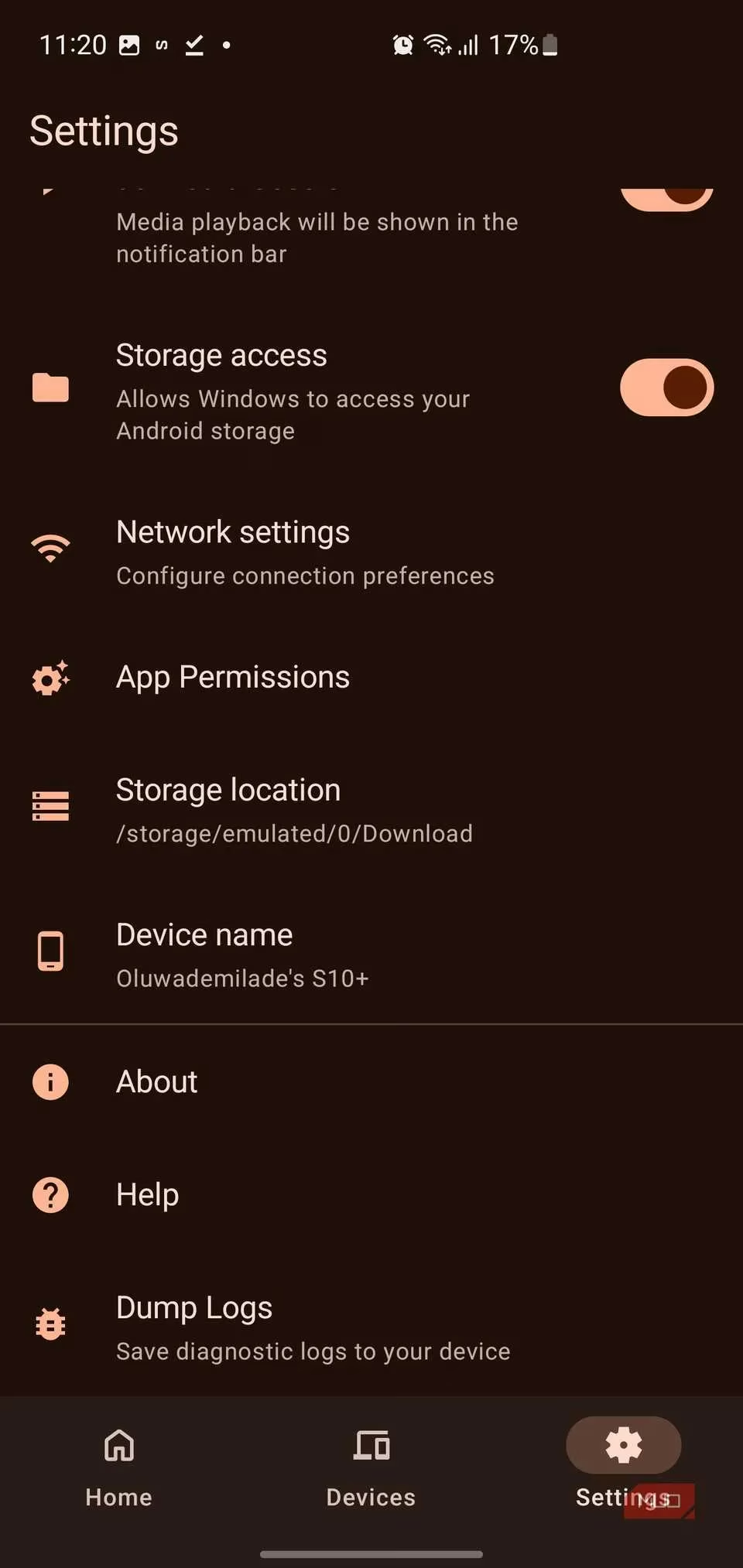
Okay, hold up. This feature alone makes Sefirah worth its weight in gold. If you're on Android 11 or higher and grant the permissions, Sefirah creates a network drive directly in your Windows File Explorer that links to your phone's storage. Let that sink in. Your phone's files—photos, downloads, documents—become browsable right alongside your C: drive and other folders.
Why is this a game-changer?
-
Wireless File Transfers: Need to move a document to your phone? Just drag and drop it into the Sefirah drive folder.
-
Instant Photo Access: Want to grab a photo you just took? Navigate to the drive, find it, and copy it to your PC. No cables, no emailing yourself, no cloud uploads.
It's a level of integration that makes other apps feel ancient.
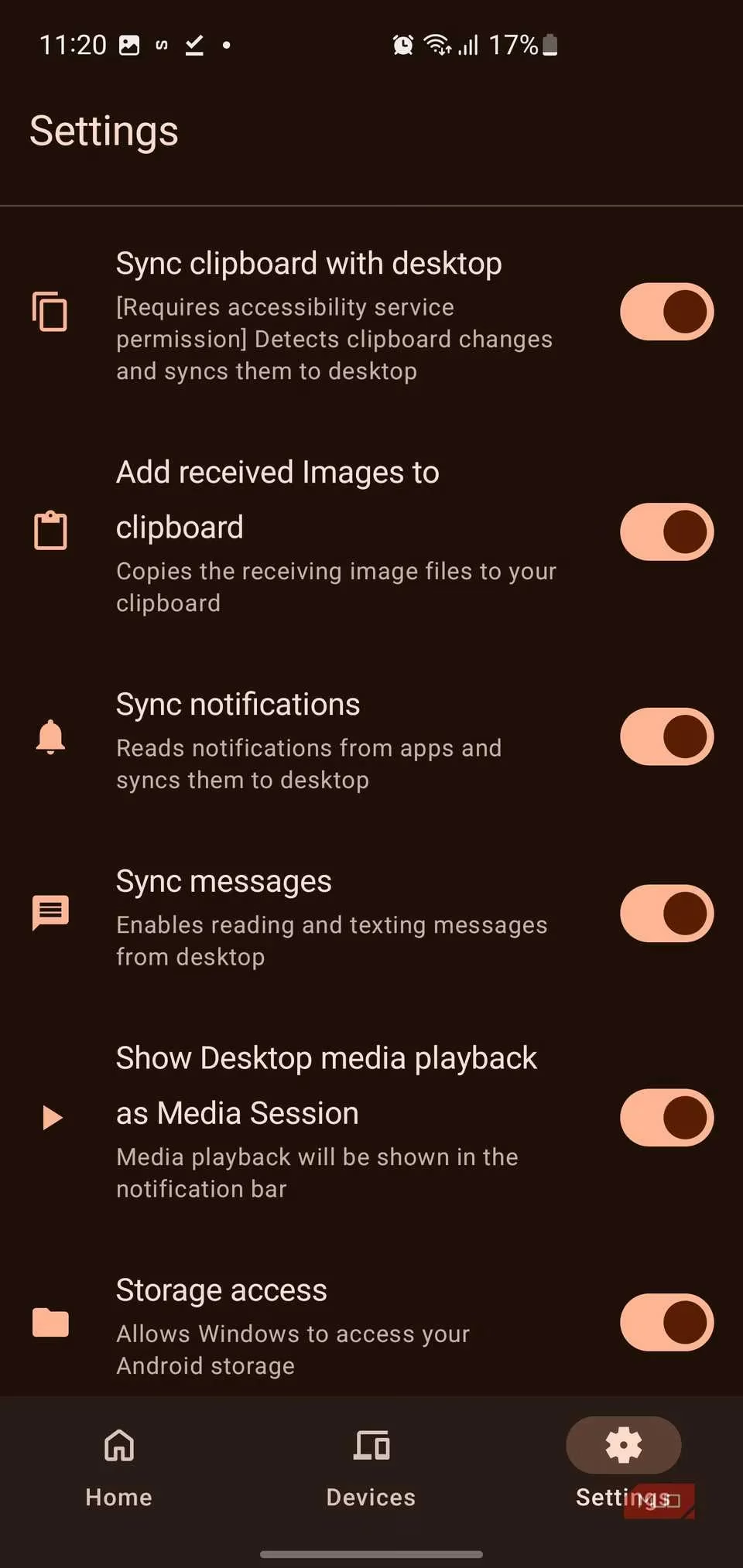
📱 Full-Screen Mirroring with Scrcpy Integration
Sefirah also bundles in full-screen mirroring via Scrcpy, the fantastic open-source tool. After downloading the Scrcpy executable and pointing Sefirah to it in the settings, you can mirror your Android display on your PC and control it with your mouse and keyboard.
Perfect for:
-
App demonstrations or walkthroughs
-
Troubleshooting a friend's phone issue
-
Just using mobile apps on a bigger, more comfortable screen
You can connect via USB for the most stable experience, or set up wireless ADB for cable-free mirroring (though that requires a bit more configuration).
⚙️ The Setup: A Bit of Effort for a Huge Payoff
Let's be real, Sefirah isn't a one-click install from the Play Store. It requires some initial setup:
-
Granting several permissions on your Android device.
-
Ensuring your firewall isn't blocking ports 5149–5169.
-
Possibly troubleshooting if your home network is complex.
But here's the thing: the documentation is excellent. It guides you through everything, covering common scenarios and even niche cases like dual-SIM devices for SMS. The initial effort is a small price to pay for the rock-solid, private, and feature-packed integration you get in return. Once it's configured, it just works, reliably.
🎯 Final Verdict: Why Sefirah Wins in 2026
So, after all this, is Sefirah the holy grail? For me, in 2026, it absolutely is. It checks all the boxes:
✅ Privacy-First: No mandatory cloud account, no data harvesting.
✅ Powerful & Native Feeling: From clipboard sync to network drive access, it feels like part of the OS.
✅ Stable & Reliable: Once set up, the connection is solid.
✅ Completely Free & Open-Source: Built with passion, not for profit.
If you're tired of bloated, unreliable solutions and want a tool that genuinely bridges the gap between your Android phone and Windows PC with elegance and power, give Sefirah a try. The initial setup might take 15 minutes, but the seamless workflow it unlocks is worth every second. Trust me, you won't look back.