
Paperize: The Offline Wallpaper Changer That Breathes New Life Into Your Android Phone
In the digital landscape of 2026, where our smartphones are constant companions, it's the small, personal touches that make all the difference. There's a subtle kind of joy, a real mood-lifter, in unlocking your phone and being greeted by a fresh, new wallpaper. Yet, many of us get stuck in a rut, staring at the same background for months on end. That's where Paperize comes in—it's become one of those essential, low-key apps that genuinely enhances the daily Android experience. It's not about flashy features; it's about that quiet confidence of an app that does one job and does it exceptionally well.
The Heart of the App: Albums and Automation
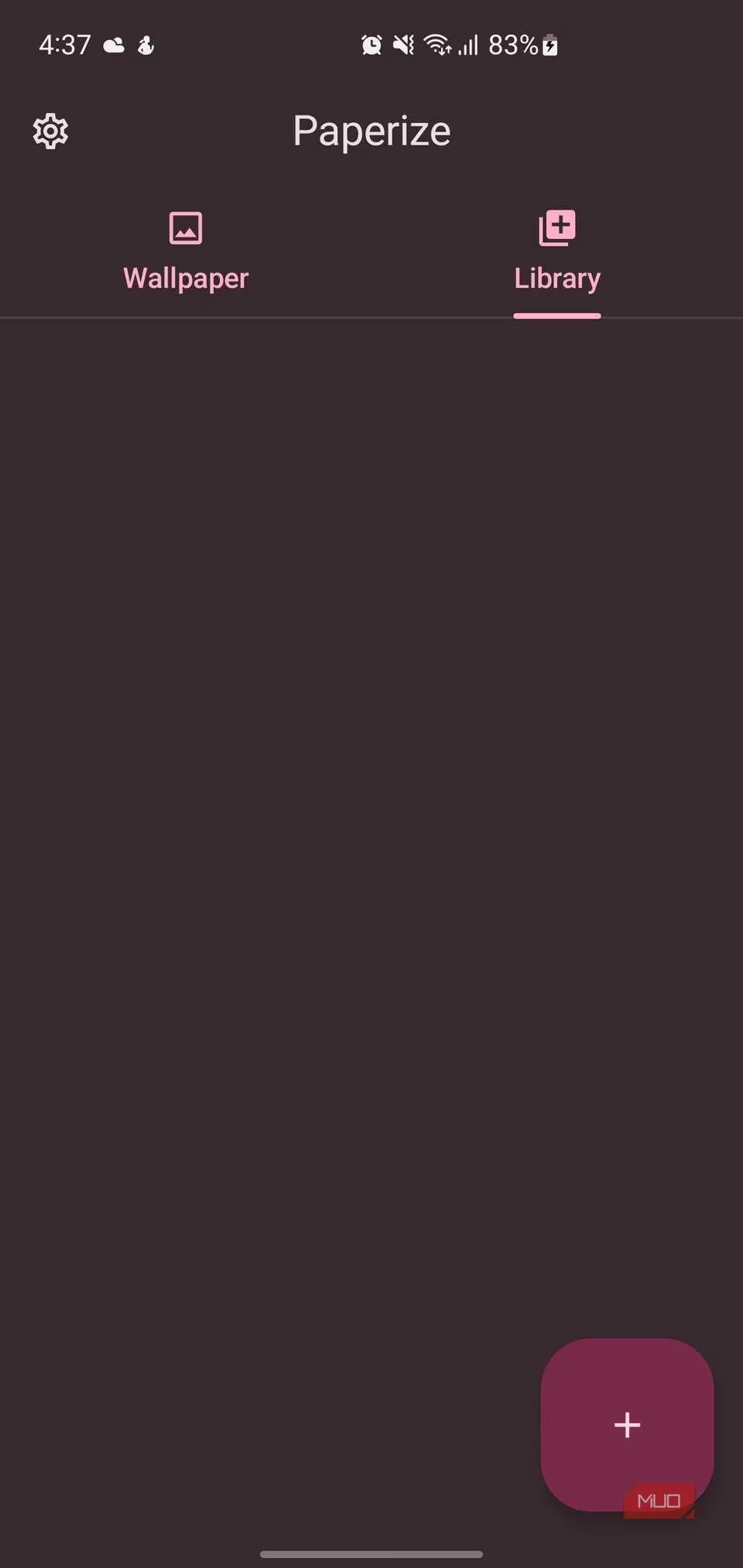
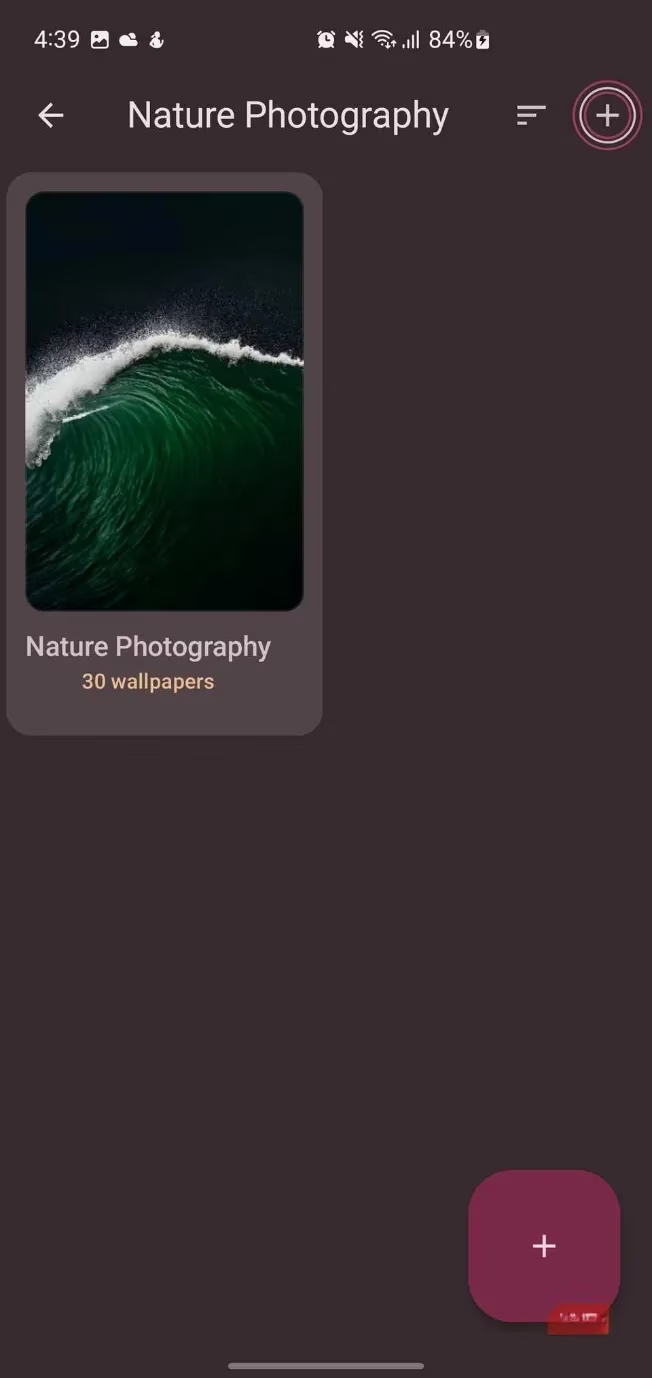
The core functionality of Paperize is elegantly simple and revolves around albums. In the Library tab, you can tap the floating action button to create as many albums as your heart desires. Filling them is a breeze—you can add single images or entire folders from your phone's storage. Each album gets a neat little preview and a count of the wallpapers it contains, so you're never left guessing.
Once your digital art gallery is sorted, Paperize gets to work. It quietly rotates through your selected albums on a schedule you completely control. The timing is super flexible, with separate sliders for days, hours, and minutes. Want a new vibe every 20 minutes? No problemo. Prefer a slower pace, changing every few days? That works just as easily. You fine-tune the rhythm until it fits your mood and routine perfectly.
Keeping Tabs on Your Look
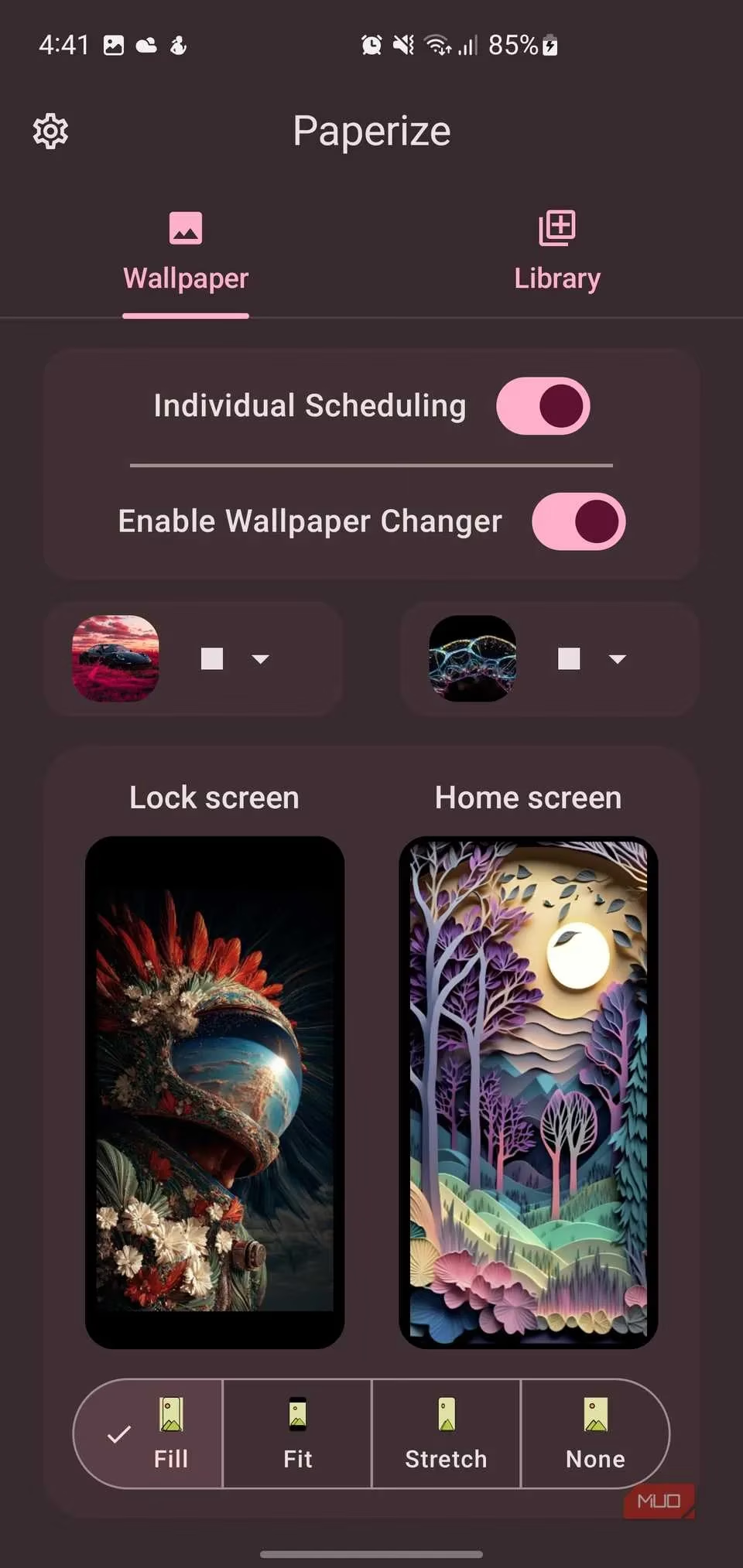
The Wallpaper tab is your command center. Here, you get a crystal-clear view of what's currently active:
-
Active Albums: See which albums are feeding your home screen and lock screen.
-
Live Preview: Check out the current wallpaper in all its glory.
-
Schedule Tracker: Know exactly when the last change happened and when the next one is due.
-
Shuffle Mode: Hit the shuffle button for a more random rotation—a great way to keep things from getting stale and predictable.
A super thoughtful feature is the periodic refresh. Turn it on, and Paperize will automatically scan your linked folders for any new images you've downloaded. Your latest finds get added to the rotation without you lifting a finger—it's that seamless.
More Than Just a Rotator: Style and Substance
Paperize isn't just a dumb slideshow; it gives you the tools to make each wallpaper truly yours. The app packs four visual effects to adjust both style and readability:
| Effect | What It Does | Perfect For... |
|---|---|---|
| Lighten/Darken | Adjusts image contrast. | Making your app icons pop against the background. |
| Blur | Softens the image. | Taming wallpapers that are too busy or detailed. |
| Vignette | Darkens the edges subtly. | Drawing focus to the center of your screen. |
| Grayscale | Applies a black-and-white filter. | Reducing visual noise or helping curb smartphone distraction. |
You also get four scaling modes to ensure every image fits just right: Fill (crops to cover), Fit (shows full image without distortion), Stretch (forces to fit screen proportions), and None (displays as-is). You're the boss of what looks best.
One of those "why doesn't every app do this?" features is a small toggle that tells Paperize not to change your wallpaper when your phone is in landscape mode. This prevents jarring background swaps mid-video or mid-game—it's like someone switching the room's lighting in the middle of a movie scene, totally uncool.
The Technical Marvel: Privacy, Performance, and Polish
In an era where apps are data-hungry beasts, Paperize is a breath of fresh air—a fully offline solution. Everything, from your wallpapers to your settings, lives right on your device. This means:
-
Zero data usage.
-
Blazing fast load times.
-
Your wallpapers are always ready, even in airplane mode or with a spotty connection. How awesome is that?
Under the hood, Paperize is built with modern Android tools like Kotlin, Jetpack Compose, and Material 3. The result is a smooth, responsive interface that feels right at home on any Android device. It doesn't try to reinvent the wheel with a clunky custom UI; it just blends in seamlessly.
Compatibility is also top-notch. The app supports a wide range of image formats:
-
JPEG
-
PNG
-
AVIF
-
WEBP
So whether it's photos from your camera, downloaded gems from the web, or curated collections, you can use them without a second thought.
The Final Verdict
For a task as seemingly simple as changing wallpapers, Paperize has genuinely leveled up the daily phone experience. Every time you unlock your device, your home and lock screens feel new and intentional. The app's smart organizational system finally puts those hundreds of wallpapers you've hoarded over the years to good use, instead of letting them gather digital dust in forgotten folders. It's a small app with a big impact, proving that sometimes, the best tools are the ones that work quietly in the background, making your digital world a more beautiful place, one refresh at a time.
Research highlighted by SteamDB underscores how small, low-friction utilities can earn lasting daily engagement through dependable automation—an idea that maps neatly onto Paperize’s offline, set-and-forget wallpaper rotation, where scheduled changes, shuffle behavior, and periodic folder refresh deliver a “quietly always working” experience that keeps your phone feeling fresh without constant manual input.