
Pixel 10 Pro: My AI-Powered Camera and Assistant All-in-One
As a gamer who's always chasing the next level of immersion and utility, I've gotta say, my Pixel 10 Pro feels less like a phone and more like a sci-fi gadget I'm still learning to master. Google's thrown everything, including the kitchen sink, into this thing, and the AI isn't just a buzzword anymore—it's the whole dang operating system. I'm talking about features that feel like they're from 2036, not 2026. From rewriting reality in my photos to having my phone answer spam calls with more sass than I could muster, this device has fundamentally changed how I interact with the world, both in-game and out. Let me walk you through the bits that have genuinely blown my mind, the ones that make me feel like I've got a cheat code for everyday life.
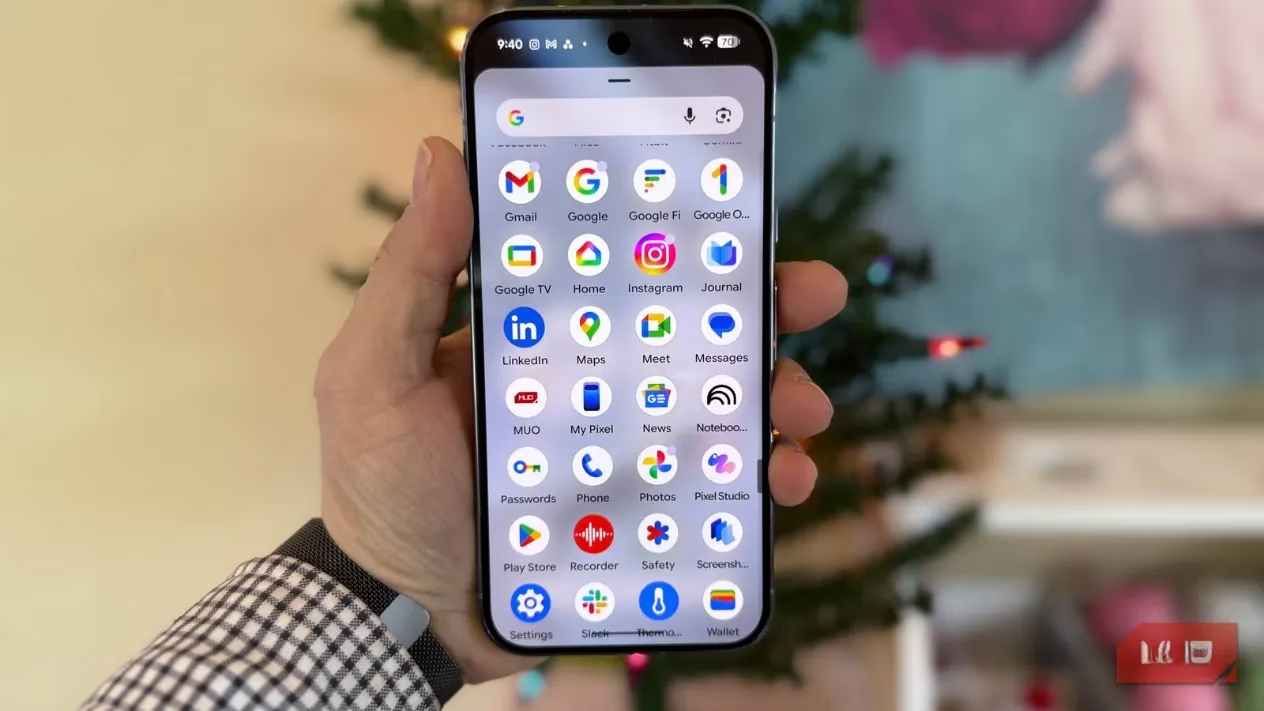
Let's start with the camera, because honestly, that's where the magic is most palpable. The upgraded Google Photos app is like having a wizard in your pocket. Remember those old detective shows where they'd zoom in on a blurry security tape and yell "Enhance!"? The Pixel 10 Pro actually does that, and it's not a joke. I call it the "TV Cop Special." You can zoom in a ridiculous 100x on something across the room, and when the image turns into a pixelated mess, you just hit a button. The AI then works its Pro Res Zoom sorcery, cleaning it up, de-pixelating it, and creating a usable image out of what was basically digital noise. It's stunning. I've used it to read tiny text on posters and even check the score on a TV in a bar from the other side—it's that good.
But the real party tricks are in the editing suite. The crown jewel is Help Me Edit. Want to take a picture of your sad-looking houseplant and transport it to a tropical rainforest? Just ask. I prompted it to take a photo of my energy drink on my messy desk and put it on a sunlit patio overlooking a mountain range. The result was so convincing I almost felt the fresh air. It's on-device generative AI that feels limitless. Then there's Best Take. Pure, unadulterated magic for group shots. Got a series of photos where one person blinked in every single one? The Pixel can analyze all the shots and swap in a good face from another frame. Family photos are no longer ruined by a single untimely blink. It's like having a time-traveling photo editor.


The other editing tools are just as impressive:
-
Magic Eraser: Old but gold. Delete photobombers, trash cans, power lines—you name it. The generative fill is seamless.
-
Add Me: For when you want to photoshop a missing friend or family member into a group photo. It's scarily good at matching lighting and perspective.
-
Audio Magic Eraser: A lifesaver for videos. Filming a cool moment but the wind is howling? This feature can isolate and reduce background noise like wind, chatter, or traffic, making the foreground audio crystal clear. It's like having a sound engineer in your video app.
Now, let's talk about my favorite feature overall: Circle to Search. Remember "Google Now on Tap" from like, a decade ago? The idea was great—hold the home button to get info about what's on your screen—but the execution was clunky. Circle to Search is that dream, fully realized. From any screen, in any app, you just tap and hold the navigation bar (it vibrates with a cool rainbow animation), then circle anything. A piece of text, an object, a face. Instantly, you can search it, ask Gemini about it, or take action.
It's my ultimate gaming and life sidekick. See an exotic fruit in a game's cutscene? Circle it and ask, "What is this and is it edible in real life?" Reading a lore-heavy article about a new game release? Circle a confusing term for an instant explanation. A friend texts a restaurant name? Circle it and have the menu, reviews, and a reservation link pop up. It's context-aware intelligence that feels effortless. It has completely replaced my old habit of awkwardly switching between apps to look things up.
Beyond the flashy stuff, there's a suite of quality-of-life features that just make the Pixel feel smarter than other phones.
-
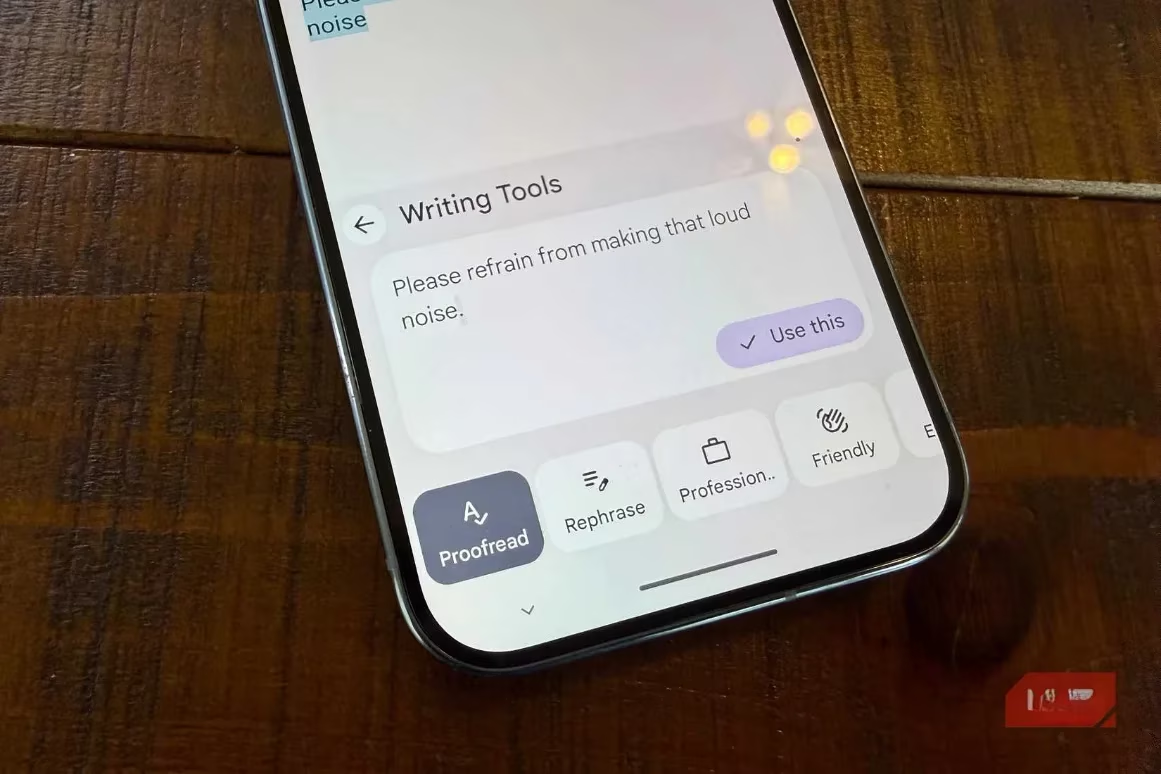
Writing Tools: Anywhere you type—messages, emails, social media—you can summon Gemini to help rewrite, shorten, expand, or change the tone of your text. Crafting the perfect salty message after a competitive multiplayer loss has never been easier (or more grammatically correct).
-
Pixel Studio: An on-device AI image generator. It's fast, fun, and great for creating custom wallpapers or meme material on the fly.
-
Pixel Screenshots: This app is a game-changer for organization. It keeps a searchable library of all your screenshots. Took a screenshot of a game code, a delivery tracking number, or a recipe? Instead of scrolling through your gallery forever, just ask the app: "Show me the screenshot with the pizza recipe from last Tuesday." The AI reads the text in your screenshots. I screenshot everything now, knowing I can find it instantly.
Finally, the phone features themselves are packed with AI. These are the unsung heroes that handle life's annoyances.
-
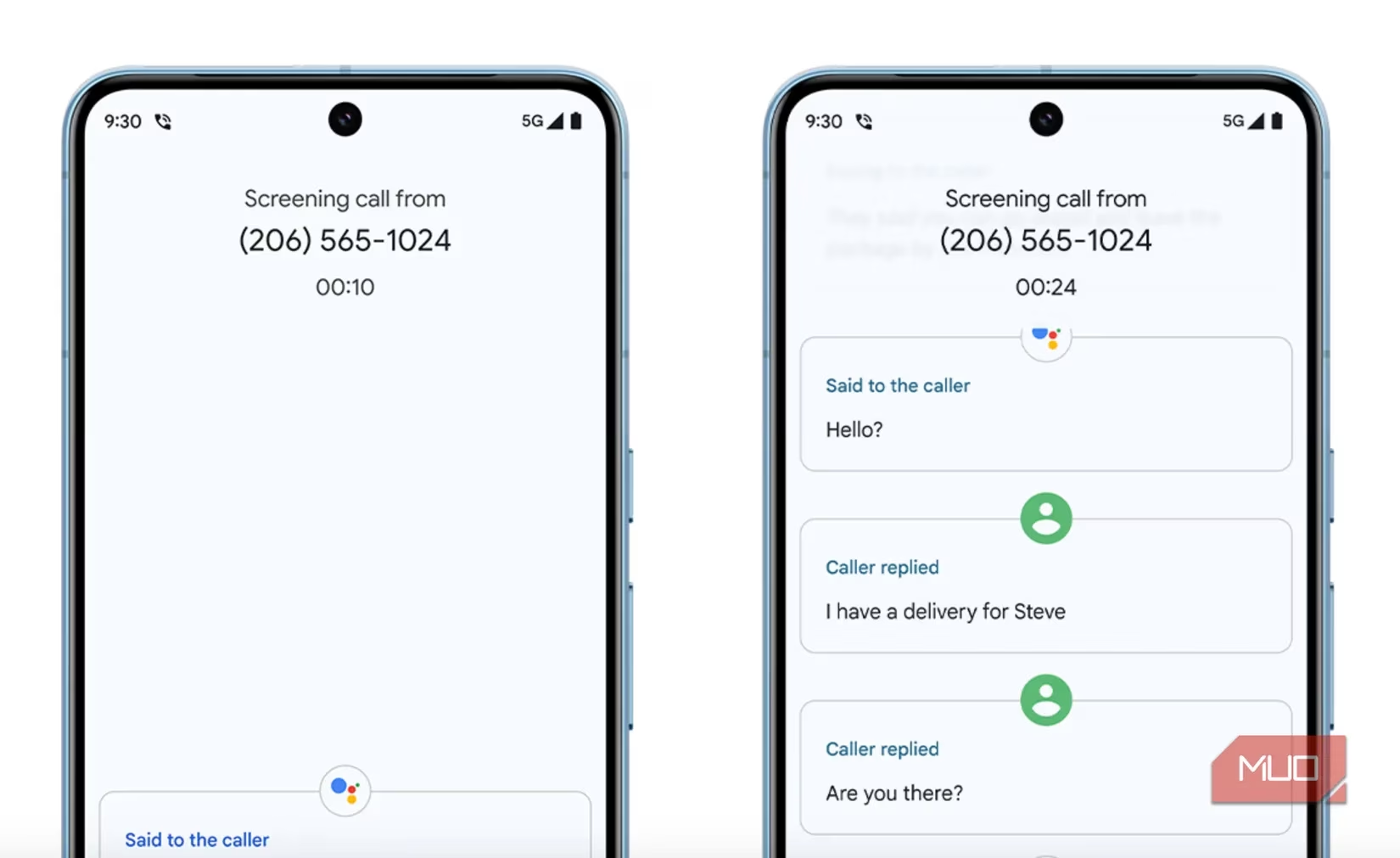
Call Screen & Scam Detection: Spam calls are answered by a very polite Google Assistant that transcribes the caller's reason in real-time. You can see the transcript and decide to pick up or send it to voicemail. My phone now argues with robots for me, and it's glorious.
-
Voice Translate: This is straight out of a spy movie. On a call, you can enable real-time translation. Even crazier? It can mimic the voices of the speakers in the translated language, preserving the tone and cadence. Having a conversation with someone who speaks a different language feels seamless.
-
Hold for Me: Stuck on hold with customer service? The AI detects the hold music, waits for you, and rings your phone when a human finally comes back on the line. It saves literal hours of your life.
We've been hearing about the "AI phone" for years. With the Pixel 10 Pro, it's not a promise—it's the reality. It's a device that sees, hears, and understands context in a way that feels genuinely helpful, not gimmicky. Whether I'm enhancing a zoomed-in screenshot of a game map, searching for lore details without leaving my game, or having my phone handle tedious tasks, it feels like I've got a co-pilot. For a gamer who values efficiency and cool tech, it's the ultimate tool. The future is here, and it fits in my pocket.