
PixelShot Brings Pixel 9's AI Screenshot Magic to All Android Devices
For years, Pixel-exclusive features have tantalized Android users beyond Google's ecosystem. One standout feature from the Pixel 9 series—its intelligent Pixel Screenshots capability—seemed destined to remain a premium exclusive. Enter PixelShot, a third-party app developed by Mehul Kanzariya, which remarkably replicates this powerful AI-driven screenshot organization tool, bringing it to any Android device running Android 11 or later. Imagine effortlessly finding that one crucial flight itinerary screenshot buried among hundreds—PixelShot makes it a reality, democratizing a flagship Pixel 9 experience for the broader Android community. 😲📱
How PixelShot Transforms Your Screenshot Chaos
We all drown in screenshots—flight details, recipes, confirmation numbers, memes. Finding specific ones often feels like searching for a needle in a haystack. PixelShot solves this by harnessing AI to intelligently analyze your screenshots:
-
AI-Powered Text Extraction: Using Google's ML Kit SDK, PixelShot pulls text from every screenshot you take.
-
Cloud-Powered Intelligence: The extracted text is uploaded to cloud servers where the powerful Llama 3 8B Instruct AI model processes it, generating searchable summaries and identifying key information (like dates, locations, or specific terms).
-
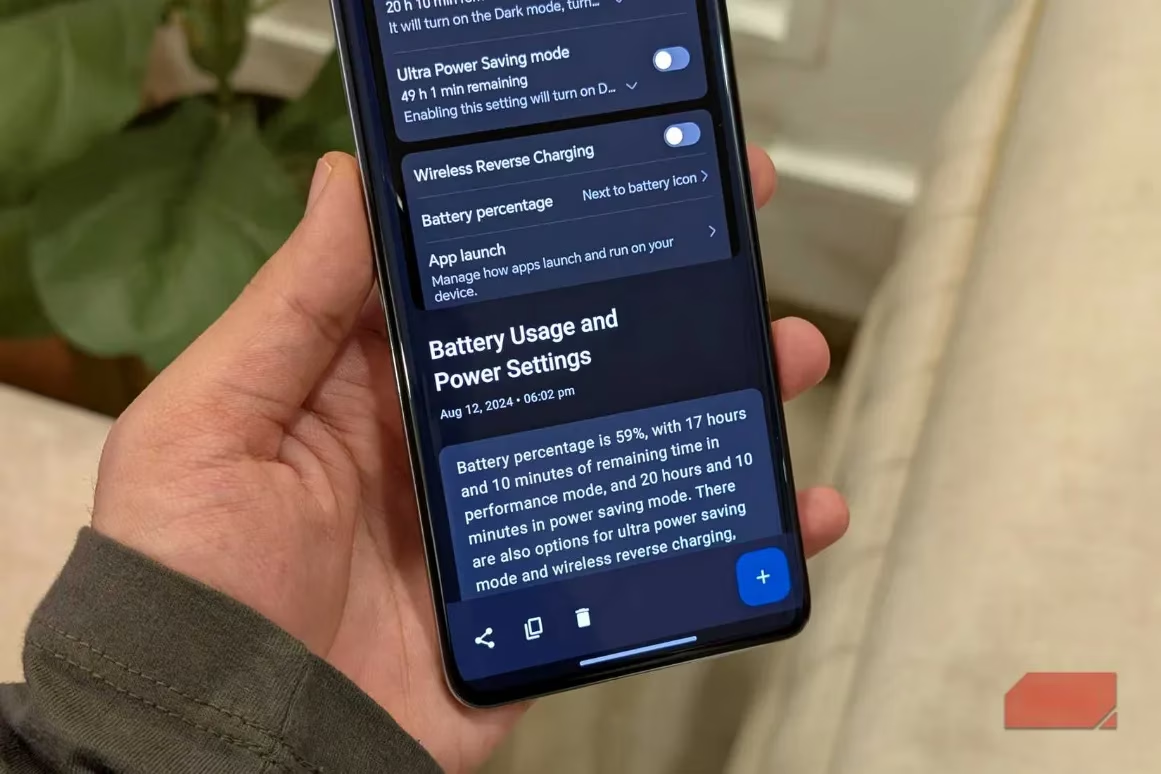
Local Storage: The AI-generated summaries and search indexes are stored locally on your device. Crucially, your actual screenshots never leave your device—only the extracted text is sent to the cloud for processing.
-
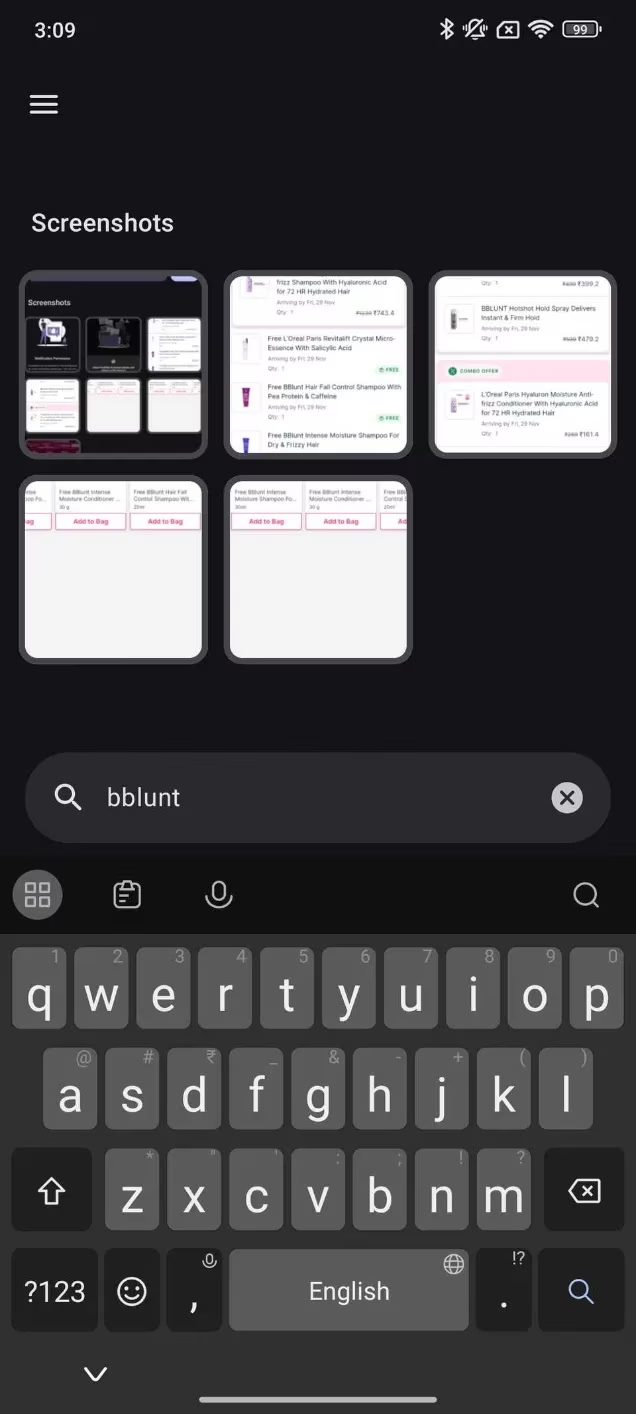
Instant Search: Later, simply type a keyword like "flight" or "recipe" into the PixelShot app. It instantly surfaces the relevant screenshot and displays the extracted key details.
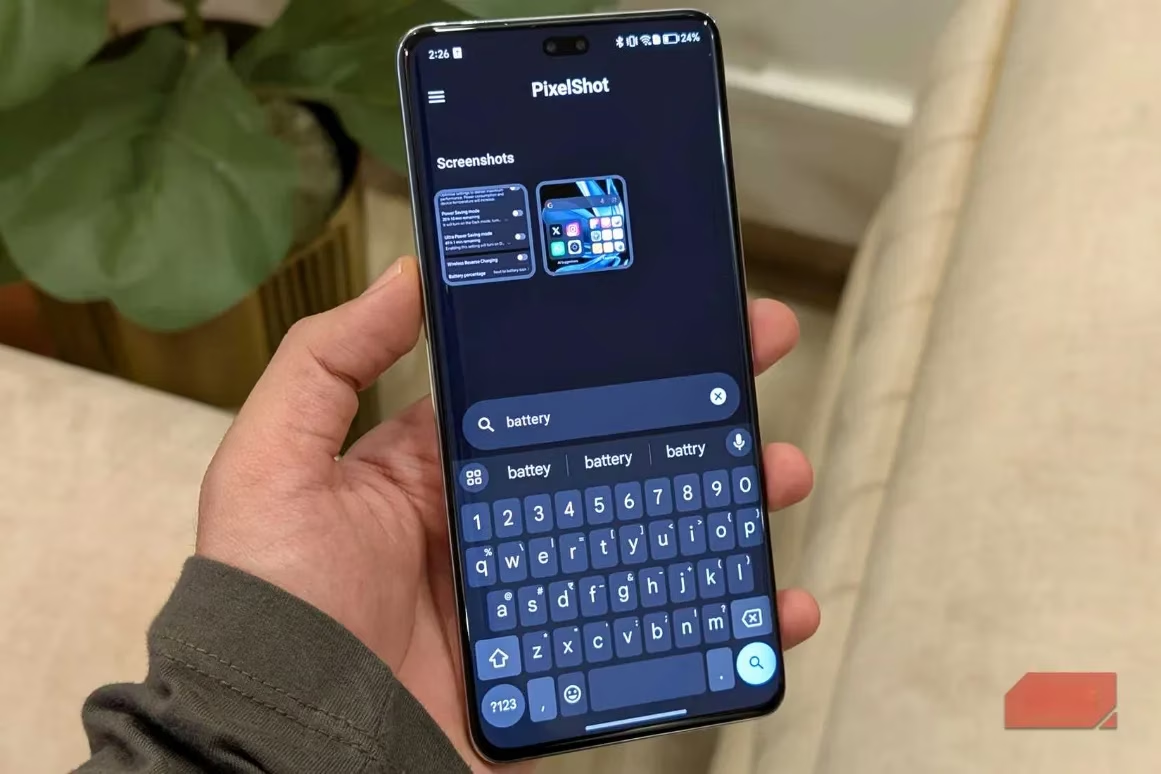
Credit: Sanuj Bhatia / MakeUseOf
Getting Started with Your Pixel 9 Feature Experience
-
Download: Install PixelShot from the Google Play Store.
-
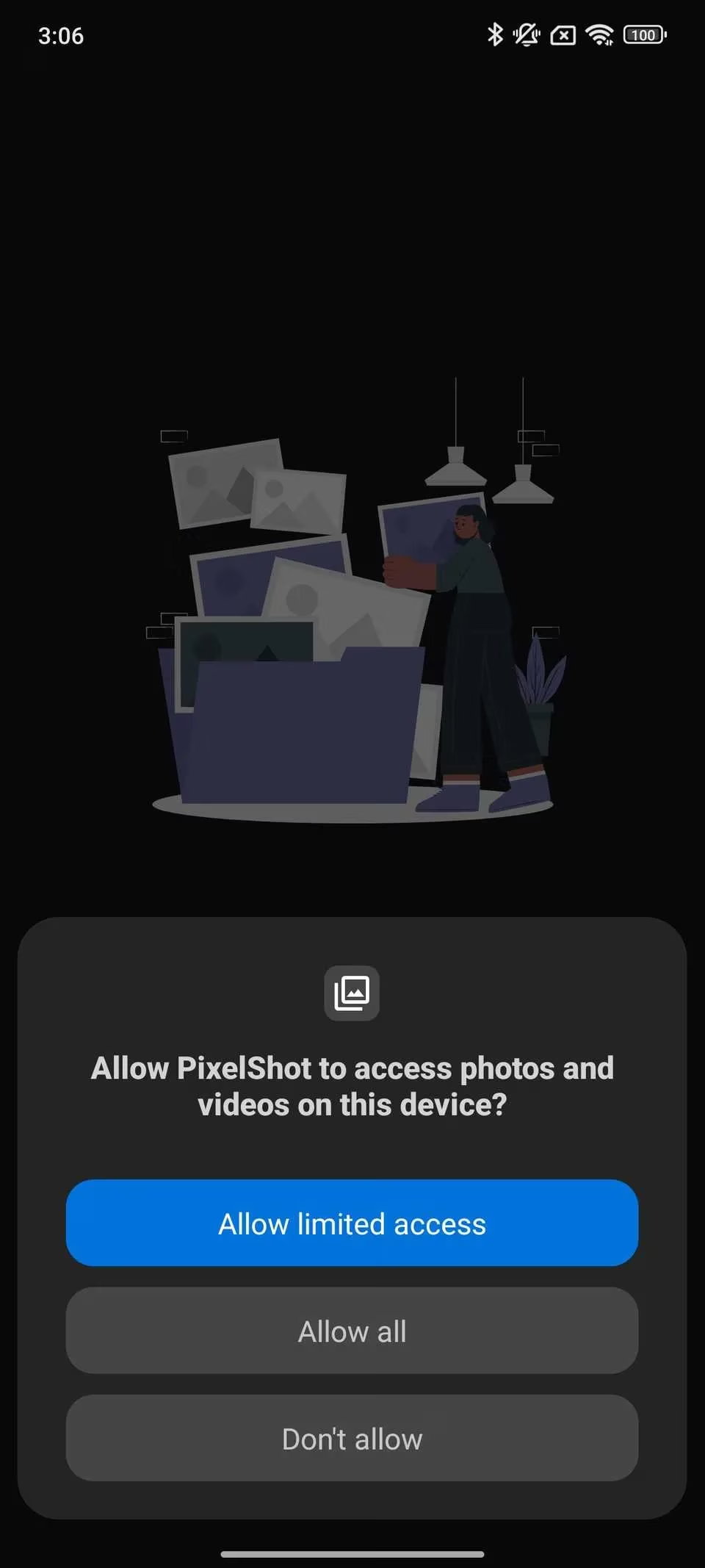
Permissions: Grant necessary permissions (Photo Access to read screenshots, Notification Access for background operation).
-
Initial Scan: PixelShot automatically analyzes your existing screenshot library. ✨
-
Just Screenshot: Continue taking screenshots normally. PixelShot works silently in the background.
Pro Tip: The developer notes you might need to open the app occasionally to ensure pending text uploads are processed due to the cloud component.
Beyond Basic Search: Organization Features
PixelShot offers more than just keyword search. It helps you actively manage your screenshot library:
-
Add Notes: Attach personal notes or reminders directly to specific screenshots within the app.
-
Create Collections: Organize related screenshots into custom folders (e.g., "Travel," "Recipes," "Work").
Screenshot by Sanuj Bhatia
Understanding the Limits: Text is Key
PixelShot's magic is currently focused on text. Its core functionality—extraction, summarization, and search—works best with screenshots containing clear text:
-
Works Great: Screenshots of articles, confirmation emails, boarding passes, chat conversations, recipes.
-
Won't Work: Screenshots of purely visual content (e.g., a photo of a T-shirt, a landscape, a meme without text) won't be searchable within the app. The AI needs text to analyze.
Privacy & The Future: On-Device Dreams
Privacy concerns are natural when cloud processing is involved. The developer emphasizes a crucial point:
"No screenshots are uploaded to the cloud. Only the extracted text is processed, and even that isn't stored online long-term."
The summaries and indexes reside solely on your device. This contrasts with the Pixel 9's native feature, which uses Google's Gemini Nano small language model running entirely on-device, offering potentially faster processing and enhanced privacy by eliminating the cloud step. PixelShot's reliance on the cloud (and the Llama 3 model) is currently necessary to achieve similar functionality without Pixel hardware.
Credit: Sanuj Bhatia / MakeUseOf
People Also Ask
-
Is PixelShot really free and ad-free? As of 2025, yes! The app is currently free with no ads. However, the developer has indicated that if user numbers surge significantly, in-app purchases or ads might be introduced to cover the costs of the cloud AI APIs.
-
Does PixelShot drain my battery? Like any app working in the background, especially one using AI, it consumes some resources. However, optimizations are in place, and its impact is generally reported as reasonable. Monitoring via your device's battery settings is always wise.
-
Is my data safe with PixelShot? The developer assures that only text is sent to the cloud for AI processing, not the images themselves, and that text isn't stored online. Your screenshots remain on your device. For highly sensitive information, consider the cloud processing aspect.
-
Will it ever work with non-text screenshots? Given the app's core reliance on text extraction for AI analysis, this seems unlikely in its current form unless significant advancements in image recognition are integrated specifically for non-text content search.
-
Could it work fully on-device like Pixel 9? This hinges on Google opening access to Gemini Nano for third-party developers. If that happens, apps like PixelShot could potentially transition to fully on-device processing, enhancing speed and privacy.
Should You Upgrade to Pixel 9 Just for Screenshots?
PixelShot provides a compelling answer: Not necessarily. It offers a remarkably similar experience to the Pixel 9's marquee Pixel Screenshots feature. For Android users drowning in disorganized screenshots, PixelShot is a revelation—a free, powerful tool that brings cutting-edge AI organization to your pocket today. While the dream of fully on-device processing using Gemini Nano remains Pixel-exclusive for now, PixelShot proves that the best features don't have to stay locked away. It transforms the frustrating sea of images into a searchable, organized digital library, finally answering the question: How do you instantly find that screenshot? 🤔➡️✨
Screenshot by Sanuj Bhatia