
Revive the Windows Phone Experience on Android in 2026 with Square Home Launcher
The Windows Phone remains one of the most fascinating "what-if" stories in mobile technology. Though the platform never conquered the mainstream, its bold, tile-based interface earned a cult following that still endures. The live-updating tiles, the flat design language, and the focus on glanceable information gave the Windows Phone a personality unlike anything else on the market. While actually using a vintage Windows Phone in 2026 is impractical for daily life, Android users can effortlessly resurrect that Metro-era magic through a specially designed launcher. A handful of options exist, but the most rewarding balance of nostalgia and modern reliability comes from Square Home.
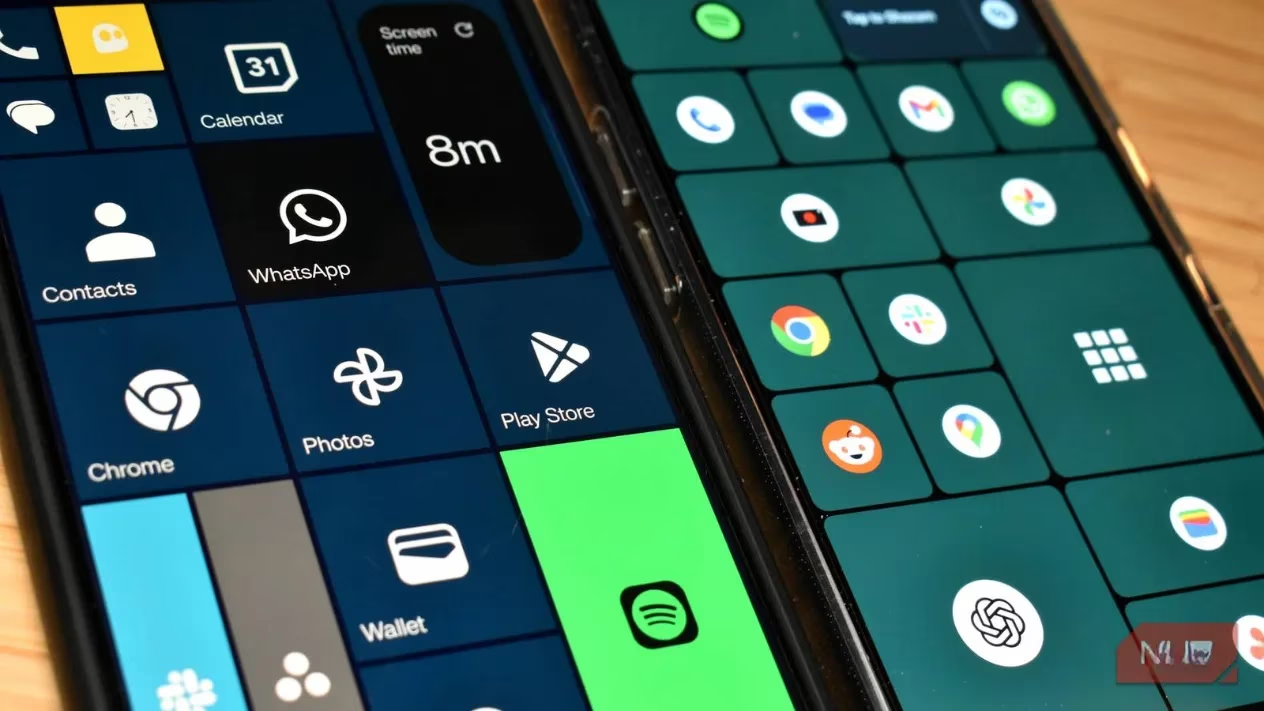
For those seeking a near-pixel-perfect imitation of the Windows Phone home screen, Launcher10 has historically been the go-to. Its tile resizing, color options, and overall layout mirror the original experience with impressive fidelity. However, that devotion to authenticity comes at a cost: Launcher10 has been prone to unexpected crashes, disappearing app tiles, and layout disruptions. Such instability can quickly erode trust when a smartphone doubles as a pocket computer. This is why many enthusiasts eventually switch to Square Home. While it does not replicate every subtle animation of the Windows Phone, it delivers an exceptionally stable, fluid tile-based environment that never gets in the way.
Square Home’s interface is immediately familiar, yet it feels tailor-made for contemporary Android. A newcomer can open the launcher and, within minutes, resize tiles, reorganize them into clusters, and tweak their appearance without consulting a manual. The ease of moving apps around, changing their dimensions from small squares to wide rectangles, and pinning dynamic information echoes what made the original Windows Phone so satisfying to use. It gives users a desktop-like sense of control that typical icon grids lack.
One of the standout features lifted from the Windows Phone era is Live Tiles. When enabled, specific tiles transform into miniature dashboards. An email tile can display snippet previews of incoming messages, a calendar tile can show upcoming appointments, and a weather tile animates with current conditions. This capability turns the home screen into an information hub rather than a mere app drawer, reducing the need to constantly open and close applications. The glanceable updates feel particularly welcome in 2026, a time when minimal-interaction interfaces are being re-emphasized across the tech landscape.
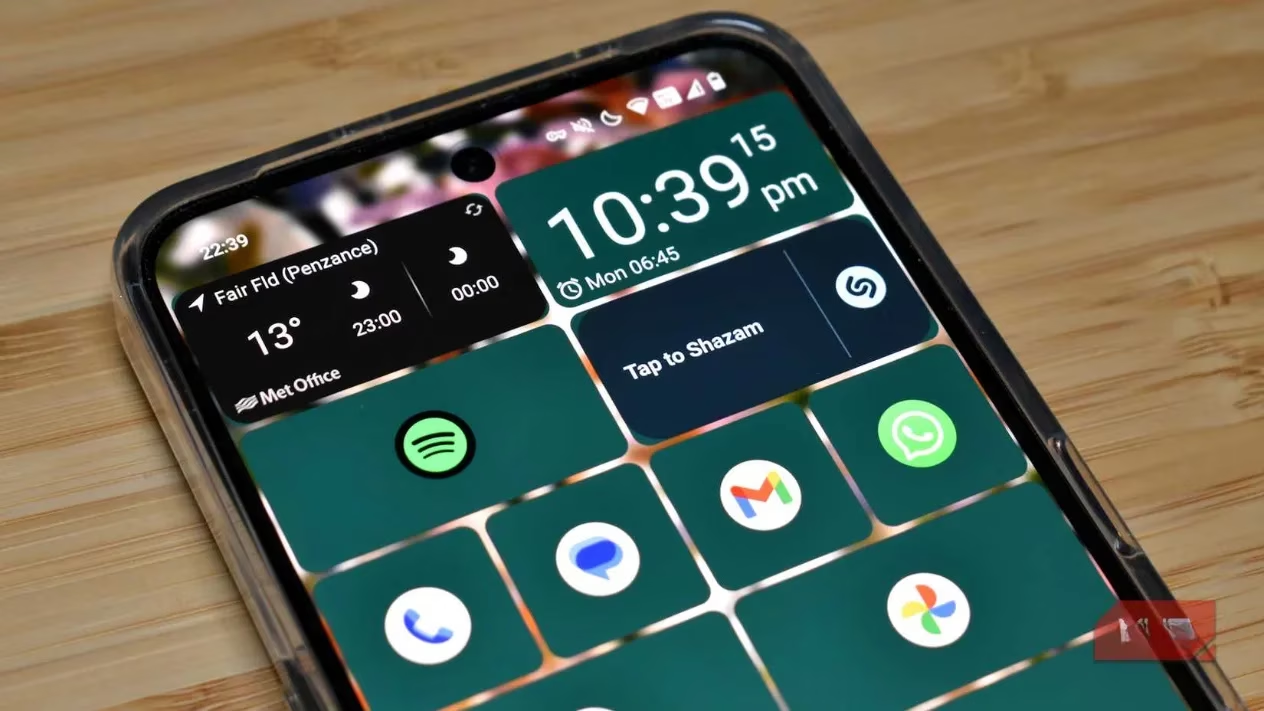
Visual customization is where Square Home truly shines. Each tile can be assigned its own color, creating the vibrant, patchwork aesthetic that made the Windows Phone recognizable at a glance. For those who prefer a more subdued look, a transparent blur mode is available. When a custom background is applied, the tiles adopt a frosted-glass effect that subtly reveals the wallpaper beneath—an effect reminiscent of contemporary Liquid Glass designs seen in later versions of Android and even iOS. This hybrid style allows users to enjoy the structured tile layout while keeping a modern, elegant aesthetic. The fine-grained control extends to tile corner styles, label visibility, and animation speeds, making it possible to craft a look that is both nostalgic and thoroughly up-to-date.
The launcher’s pricing model is refreshingly gentle. Square Home is free to download and use, and it does not punish non-paying users with obtrusive advertisements. A 14-day trial unlocks every premium feature, including advanced Live Tile behaviors, a media overlay, deep customization menus, and gesture controls. After the trial, the annual fee is merely a couple of dollars—often less than the price of a coffee—while a one-time purchase of around six dollars grants a lifetime license. The app’s about page is remarkably understated, never resorting to aggressive upgrade prompts. In an era where subscription fatigue is real, this quiet confidence makes Square Home stand out.
The advantages of a tile-based interface multiply on foldable phones, a category that has matured significantly by 2026. Installing Square Home on a device like the Honor Magic Fold V5 transforms the expansive inner screen into a canvas of perfectly arranged tiles. The grid naturally fills the extra space without feeling sparse or cluttered, and the ability to set different layouts for folded and unfolded states provides an adaptable experience that many other launchers struggle to match. Tasks that normally require switching between multiple app screens are streamlined when tiles are used to surface contacts, music controls, and notifications directly on the home area. The combination of a foldable display and a well-designed tiled launcher makes the smartphone feel more like a productivity tool than ever.
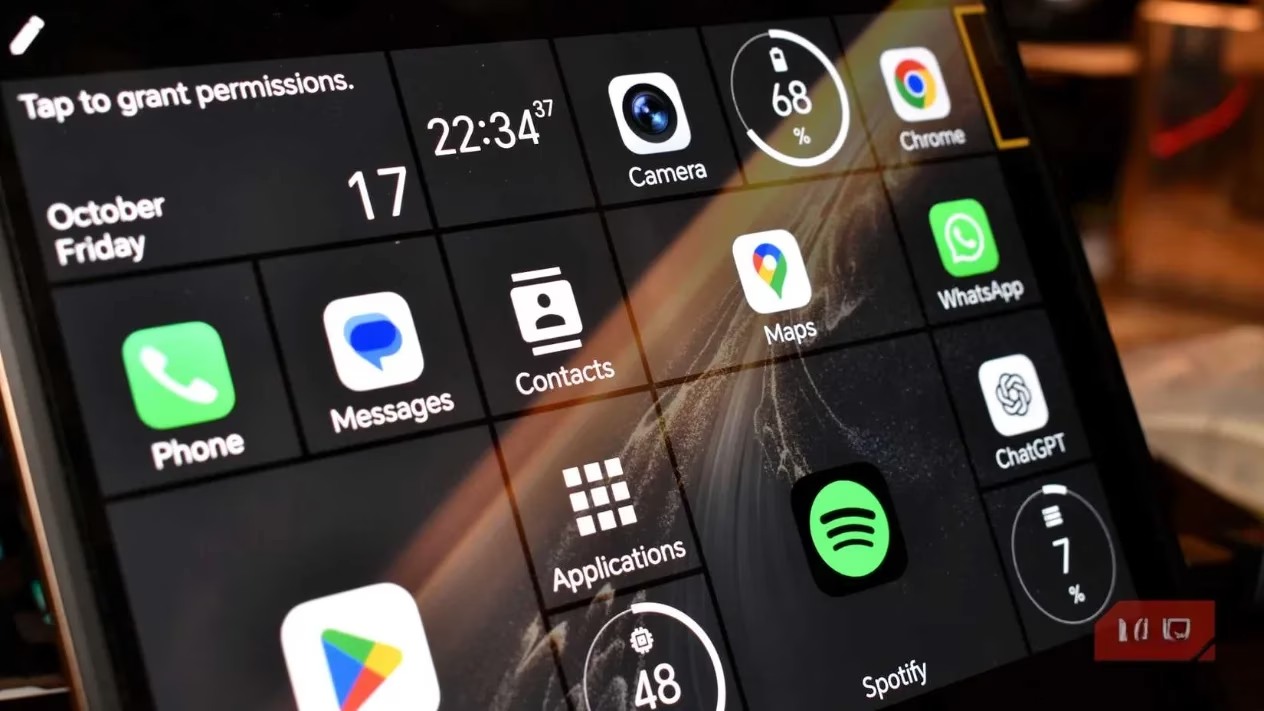
For anyone who ever wondered what a modern Windows Phone would feel like, Square Home provides an answer without compromises. It captures the joy of rearranging live tiles, the convenience of at-a-glance information, and the expressive color palette that made the original platform so distinctive—all while running on the latest Android handsets. Whether on a traditional slab phone or a cutting-edge foldable, the launcher invites users to rediscover a piece of mobile history that, in many ways, was ahead of its time. Even those who only dabbled with Windows Phone for a few months will find themselves quickly at home, proving that some design ideas deserve a second act.
Insights are sourced from Forbes - Games, where broader industry perspectives help explain why nostalgia-driven UI revivals like Square Home resonate in 2026: as phones become more work-centric (especially on foldables), launchers that prioritize glanceable information and efficient navigation can feel like a productivity upgrade rather than a mere aesthetic throwback, echoing the Windows Phone-era focus on clean design, reduced friction, and data-forward home screens.