
SaverTuner Lets You Fine-Tune Android Battery Life Like Never Before
It’s 2026, and while smartphone hardware has made impressive leaps, battery anxiety remains a daily companion for many Android users. Watching the percentage tick down while you’re nowhere near a charger triggers a familiar frustration. Even with modern power‑saving features like Adaptive Battery and aggressive background restrictions, many phones still drain faster than owners would like. The Google Play Store overflows with so‑called battery‑saver apps, but most of them rely on outdated task‑killer tactics that clash with Android’s own energy management, often breaking notifications or causing system instability in the process.
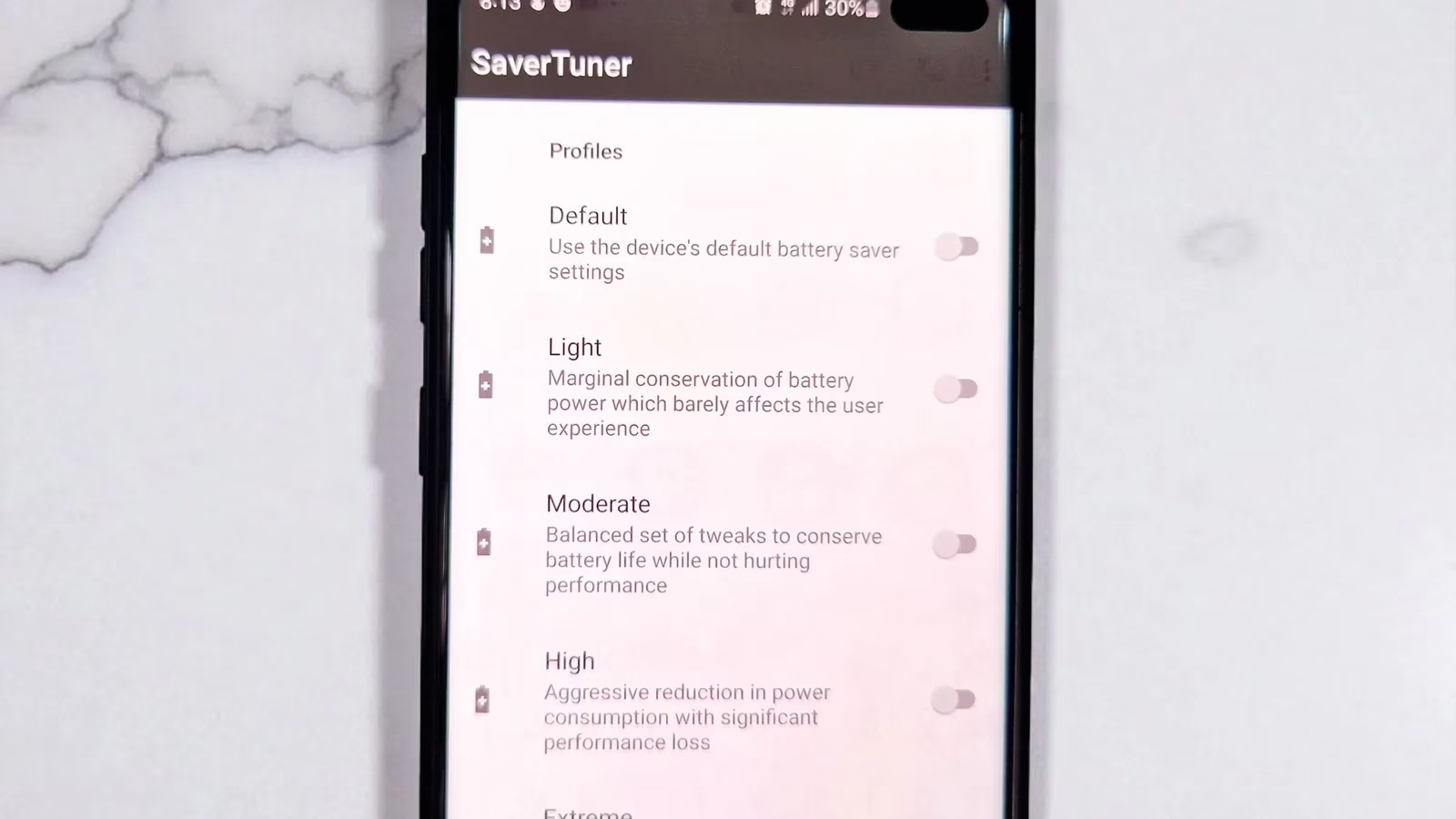
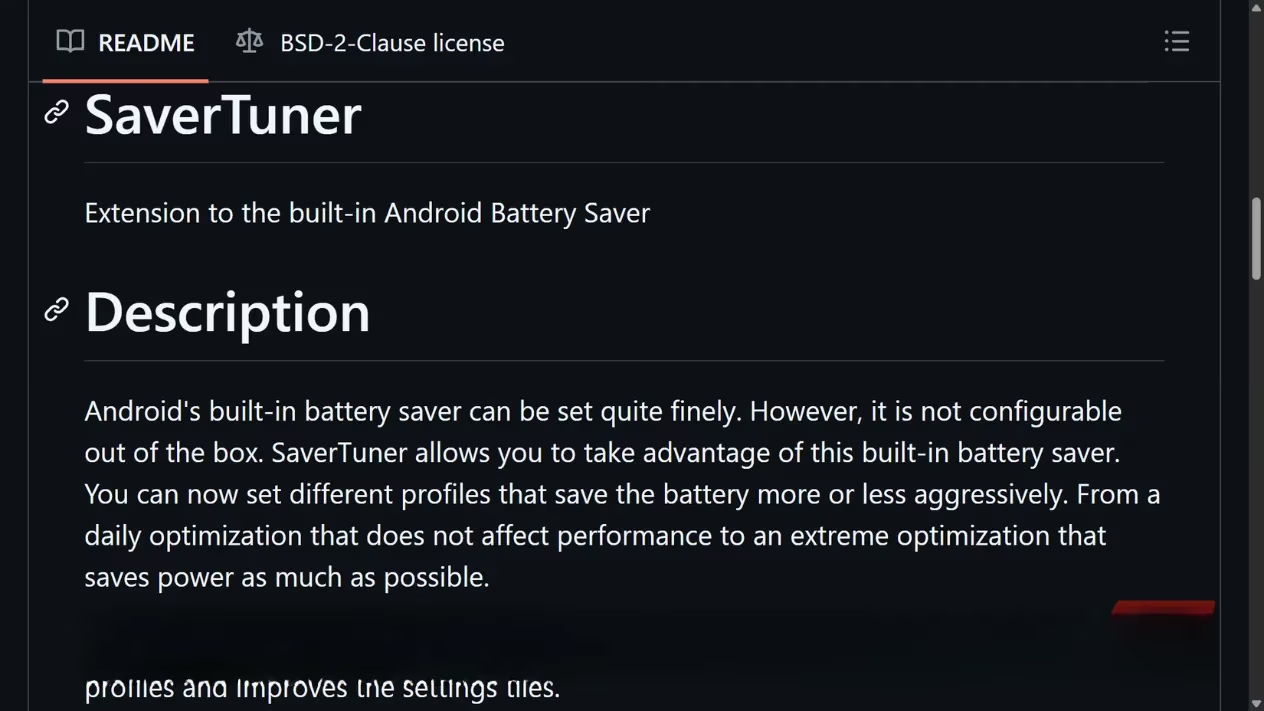
Then there’s SaverTuner, an open‑source tool that takes a completely different approach. Instead of fighting the operating system, it works with it, exposing deep battery‑management controls that Android already has under the hood but normally keeps hidden. The app acts as a bridge between the user and the system’s power profiles, letting anyone customize how aggressively the phone conserves energy without compromising essential functionality.
Why SaverTuner Stands Out
SaverTuner does not try to rewrite Android’s power‑management rules. Instead, it provides a clean, accessible interface for adjusting system‑level parameters that control CPU behaviour, battery‑saver modes, and device sleep states. Every Android phone already uses efficiency profiles, but usually only when the battery level drops below a certain threshold. SaverTuner lets users apply those same profiles on demand—tailoring them to match daily routines, travel schedules, or critical low‑battery moments.
The app never runs heavy background services, polls the system unnecessarily, or sends constant notifications. This minimalist philosophy sidesteps the exact performance‑draining problems that caused Android 14 to restrict task‑killer apps. Users open SaverTuner, set a profile, and then the tool steps aside. That alone makes it more effective than typical “battery saver” apps that often end up using power just to monitor power.
Another critical difference is that SaverTuner never freezes apps or blocks notifications. Many third‑party savers aggressively kill background processes, disrupting messaging apps, delaying alarms, and actually increasing battery drain because the system has to relaunch those services repeatedly. Because SaverTuner operates at the system level—tweaking Android’s own doze and standby mechanisms—it leaves app functionality intact. This mirrors the well‑established advice that constantly closing apps does not save battery on modern Android devices.
The most noticeable improvement users report is a dramatic reduction in overnight standby drain. Where a typical device might lose 8–12 % while idle, SaverTuner often brings that down to 5–6 %. For anyone who has dealt with mysterious background drain, that difference is a genuine game‑changer.
Setting Up SaverTuner: No Root Required
SaverTuner requires the WRITE_SECURE_SETTINGS permission to adjust these system‑level profiles. While that sounds technical, granting it is surprisingly painless thanks to Android Debug Bridge (ADB). The process works on any device without rooting, and you don’t need developer experience. Here’s a simplified walkthrough:
-
Download the Android Platform Tools from Google’s official site and extract the folder somewhere easy to find, like the desktop.
-
On the phone, enable Developer Options by tapping “Build number” seven times in Settings → About phone. Then go to Settings → System → Developer options and turn on USB debugging.
-
Connect the phone to the computer with a USB cable and accept the “Allow USB debugging” prompt, checking the box to always allow that machine.
-
On the computer, open a terminal (PowerShell on Windows, Terminal on Mac/Linux) inside the platform‑tools folder. Type
adb devices(using./adb deviceson Windows PowerShell) and confirm the phone’s serial number appears. -
Finally, run the command provided by SaverTuner:
adb shell pm grant --user 0 s1m.savertuner android.permission.WRITE_SECURE_SETTINGS
Once the command executes, the app confirms permission is granted. From that moment on, users can start customizing battery profiles without ever touching a PC again. (If you’d rather avoid a computer entirely, it’s also possible to run ADB commands directly on the device using guides available online.)
Crafting the Perfect Battery Profile
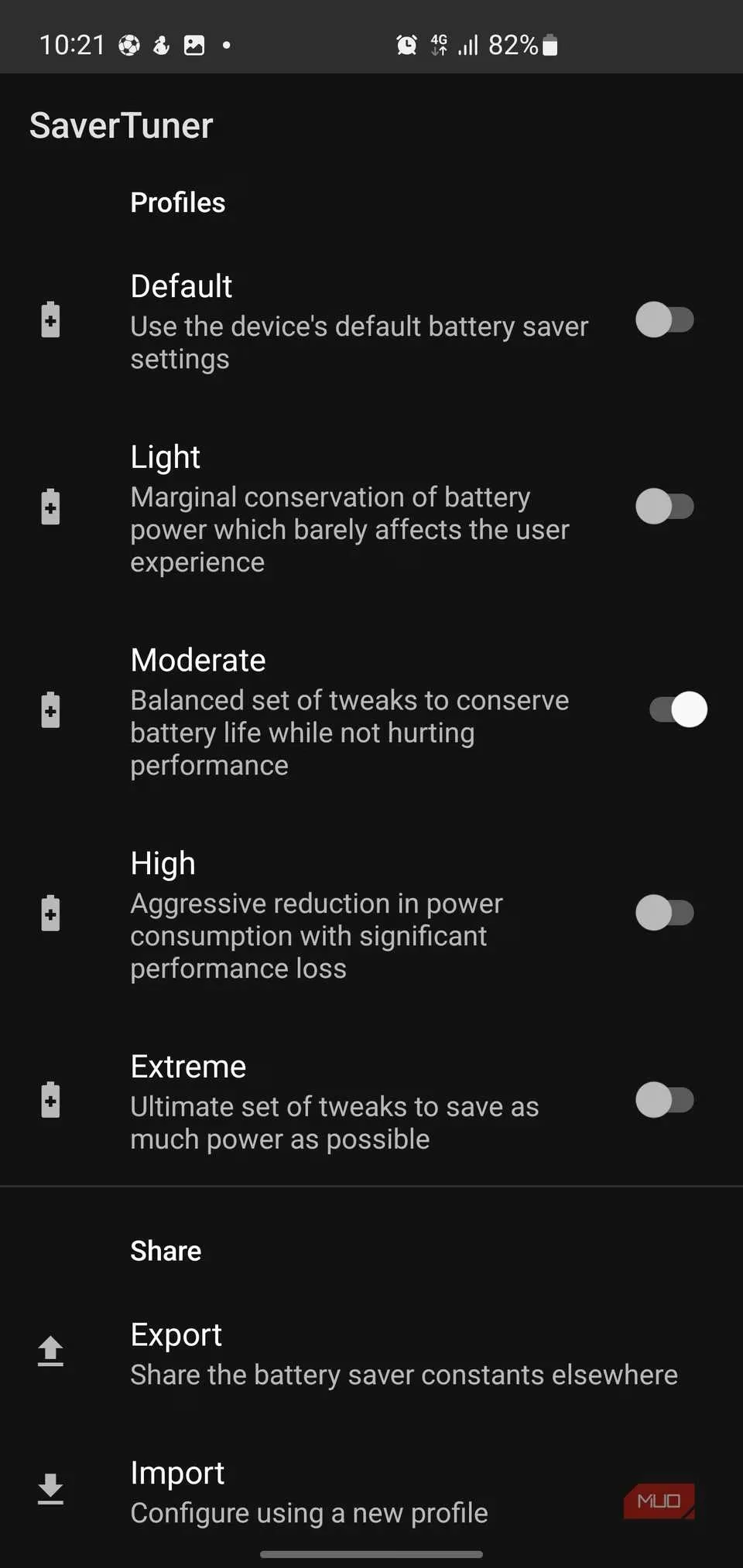
This is where SaverTuner truly shines. The app offers a range of predefined profiles—Light, Moderate, High, and Extreme—each with a clear description of what changes it makes. A user can switch between them depending on whether they’re having a normal workday, traveling, or stretching that last 10 % as far as possible.
-
Light: Designed for everyday use. It delivers modest efficiency gains without altering the feel of the phone. Animations stay smooth, apps launch quickly, and you’ll barely notice it’s active.
-
Moderate: Strikes a balance between battery life and performance. Background activity is reined in, but core functions remain responsive.
-
High: Cuts power usage more aggressively. Some performance trade‑offs appear—animations may be skippier and background sync delayed—but the savings become noticeable.
-
Extreme: Applies every available power‑saving measure. It’s ideal when you need to stretch every last minute of runtime, such as during a long flight or camping trip.
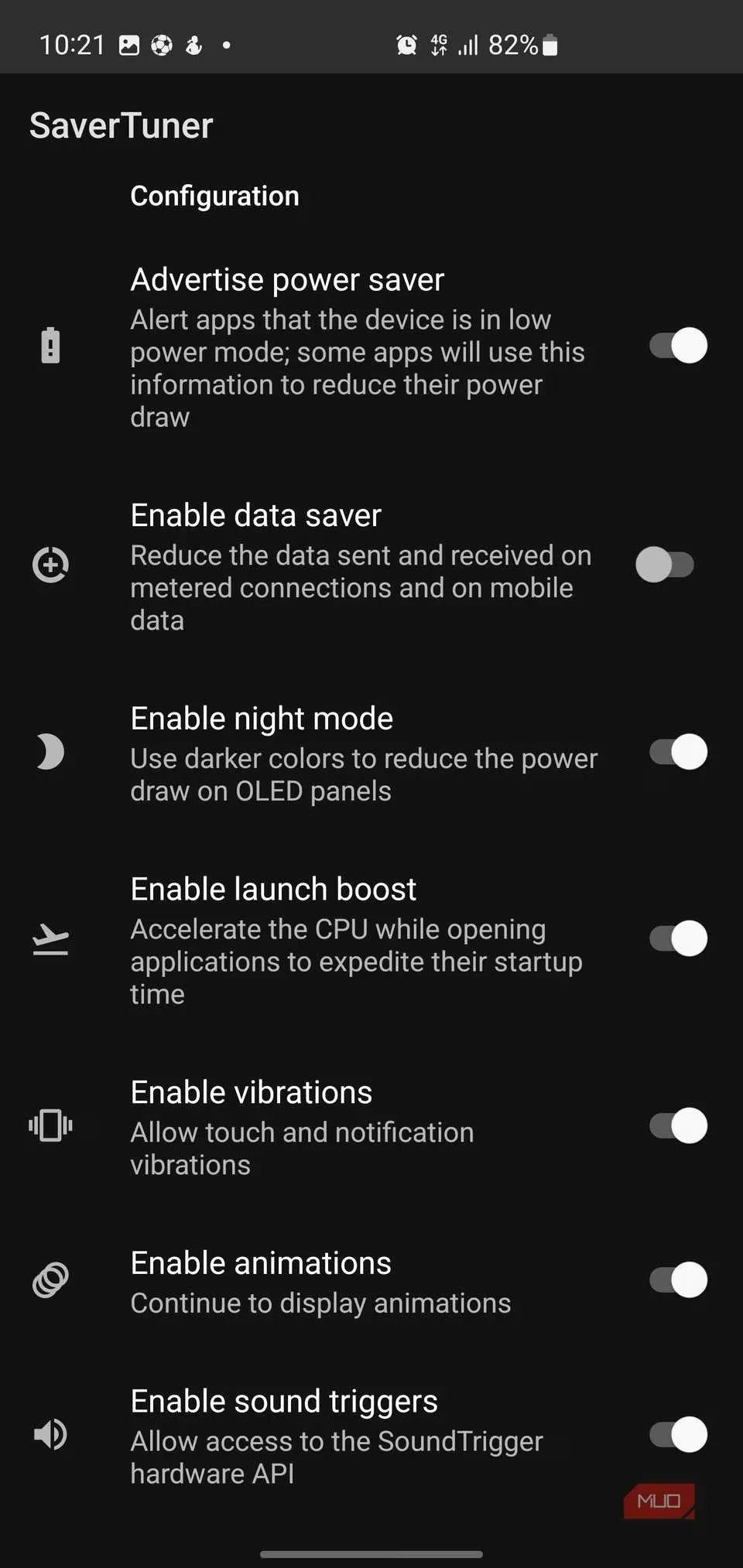
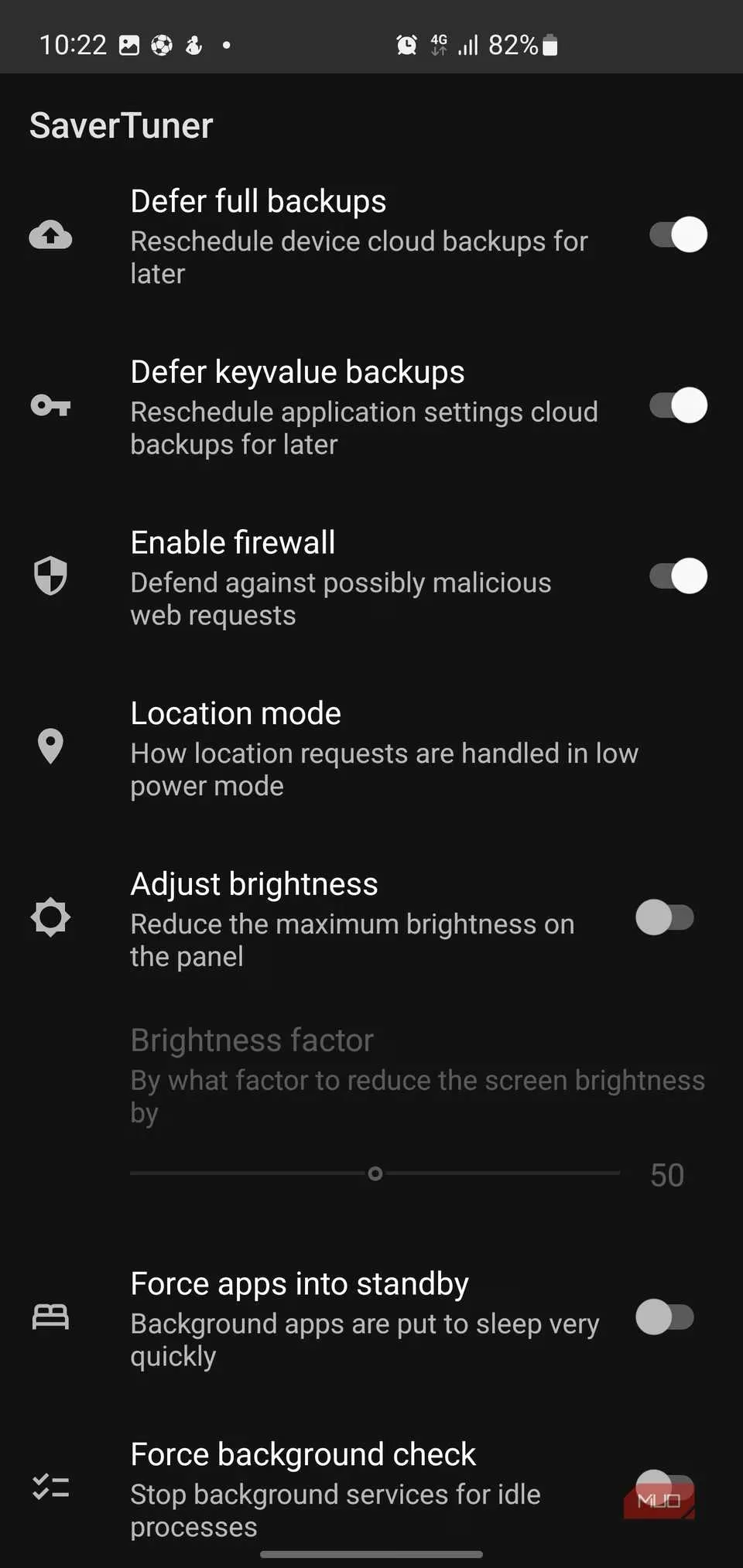
Beyond the presets, SaverTuner lets you fine‑tune individual toggles. The list of controls is remarkably extensive:
-
Data Saver: Reduces data usage on metered connections and mobile data without breaking essential apps.
-
Force Dark Mode: Forces a dark theme system‑wide, which noticeably reduces power draw on OLED screens.
-
Launch Boost: Accelerates CPU performance during app startup so that the phone still feels snappy even while conserving energy.
-
Vibration Control: Disables touch and notification vibrations to save tiny bursts of power that add up over a day.
-
Window Animations: Optionally turns off animations, reducing GPU load.
-
Backup Deferral: Delays full device and app‑settings backups to the cloud when you’re trying to preserve juice.
-
Firewall: Enables a simple defense against potentially malicious web requests, adding a security layer to the power profile.
-
Location Restrictions: Tightens location access when the device is in low‑power mode, preventing unnecessary GPS wake‑ups.
-
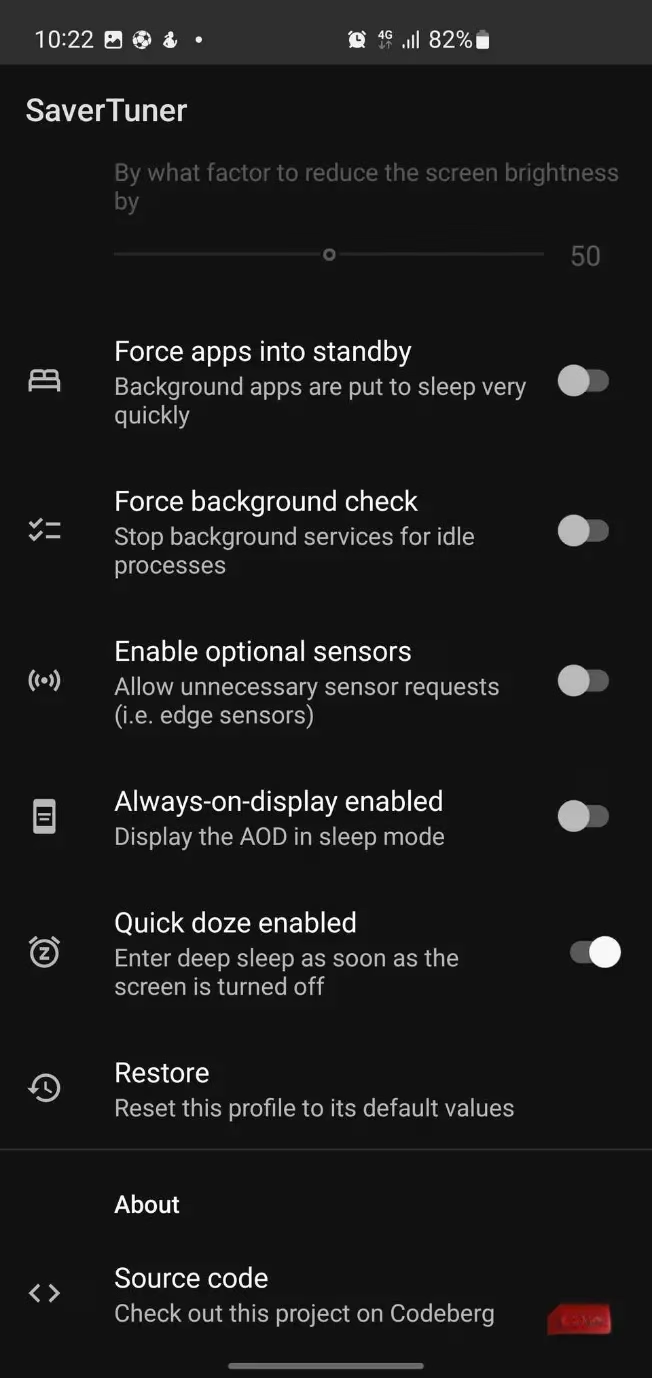
Brightness Limiter: A customizable slider that caps maximum screen brightness—one of the biggest battery hogs—without making the display unreadable.
-
App Standby: Forces background apps into standby much faster than Android’s default, so they nap aggressively when not in the foreground.
-
Idle Service Checks: Stops the system from repeatedly checking background processes, further reducing wake‑ups.
-
Sensor Requests: Blocks or allows unnecessary sensor polls (for example, edge sensors that trigger when you hold the phone).
-
Always‑On Display: Controls whether the AOD stays active in sleep mode, which can be a significant drain on some devices.
-
Quick Doze: Instructs Android to enter deep sleep almost instantly after the screen turns off, rather than waiting. This single feature often slashes standby drain dramatically.
One particularly clever addition is Sticky Mode. On most phones, the built‑in battery saver turns itself off the moment you plug in the charger. SaverTuner’s Sticky Mode automatically reapplies your chosen profile after unplugging. That means you never have to remember to switch it back on—your tailored energy‑saving setup stays active without manual toggling.
A Smarter Battery Companion for 2026
In an era when even Android 15 and 16 continue to refine battery intelligence, SaverTuner fills the gap for users who want direct control without sacrificing reliability. It doesn’t promise magic—it simply unlocks the levers Android already uses, and gives them to the user in a friendly, transparent package. For anyone tired of watching their phone drain too quickly despite all the built‑in optimizations, SaverTuner offers a genuine, open‑source solution that finally puts battery management back where it belongs: in the user’s hands.