
SD Maid 2/SE Review: The Only Android Cleaner App That Actually Works in 2026
Let's be real. In the year 2026, the mere mention of a "phone cleaner" app for Android still triggers a collective eye-roll from tech-savvy users. The ghosts of Clean Master and its ilk—apps that promised performance boosts but delivered little more than intrusive ads and placebo effects—haunt the Google Play Store. For years, the consensus has been clear: Android manages its own memory just fine, thank you very much, and third-party cleaners are often part of the problem, not the solution.
Yet, even the most efficient operating system isn't flawless. Over time, our phones become digital graveyards. Apps we uninstall leave behind 'corpses'—empty folders, abandoned logs, and forgotten database files. Mysterious storage categories balloon, and Google's own Files app often seems too timid to tackle the real mess. It's against this backdrop that SD Maid 2/SE (often just called SD Maid SE) emerges, not as another snake oil salesman, but as a meticulous, no-nonsense janitor for your device. This isn't hype; it's the one app that might actually change your mind about the entire category.
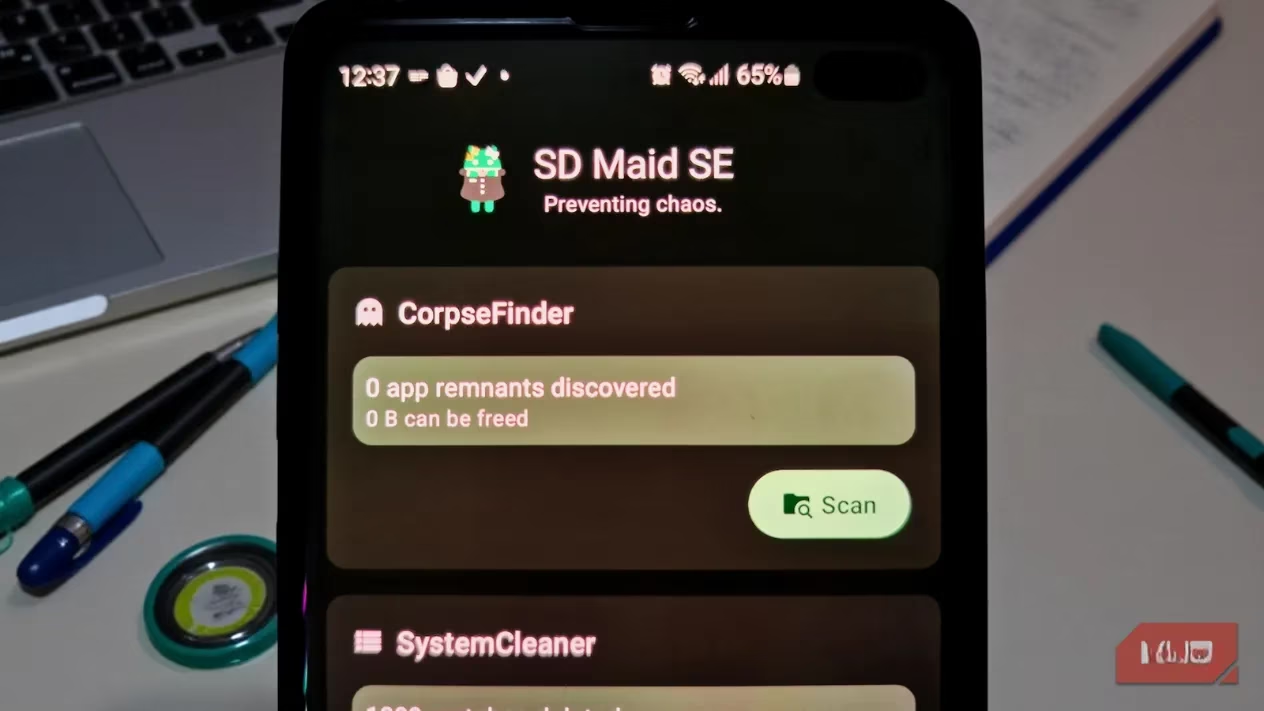
🔍 Meet CorpseFinder: The App That Actually Cleans Up After Uninstalls
The star of the show, and the feature that truly sets SD Maid SE apart, is the brilliantly named CorpseFinder. Think about it: when you uninstall an app, you assume it's gone. But in reality, many apps are terrible tenants. They leave junk scattered in public storage directories, and Android's default uninstaller just walks away. Over months and years, these orphaned files—belonging to apps that no longer exist on your phone—can silently consume gigabytes of precious space.
Most "cleaner" apps don't even try to find these. They focus on clearing app cache (which just grows back) and call it a day. SD Maid SE is different. It intelligently maps your entire storage directory structure against the list of currently installed apps. If it finds a folder named com.socialmedia.baddapp2024 but no trace of the actual 'Bad App 2024' on your system, it flags it as a 'corpse' for review.
What's truly impressive is the app's restraint and transparency. It doesn't just blindly delete. Every potential corpse is labeled with a risk level (Low, Medium, High). You can tap on any entry to inspect it thoroughly before taking action. The app shows you:
-
📁 Full file paths
-
🖼️ Preview thumbnails for images and videos
-
📅 Last modified dates
-
💾 Exact file sizes
You are always in control, never asked to delete anything sight-unseen. It's cleaning with surgical precision, not a bulldozer.
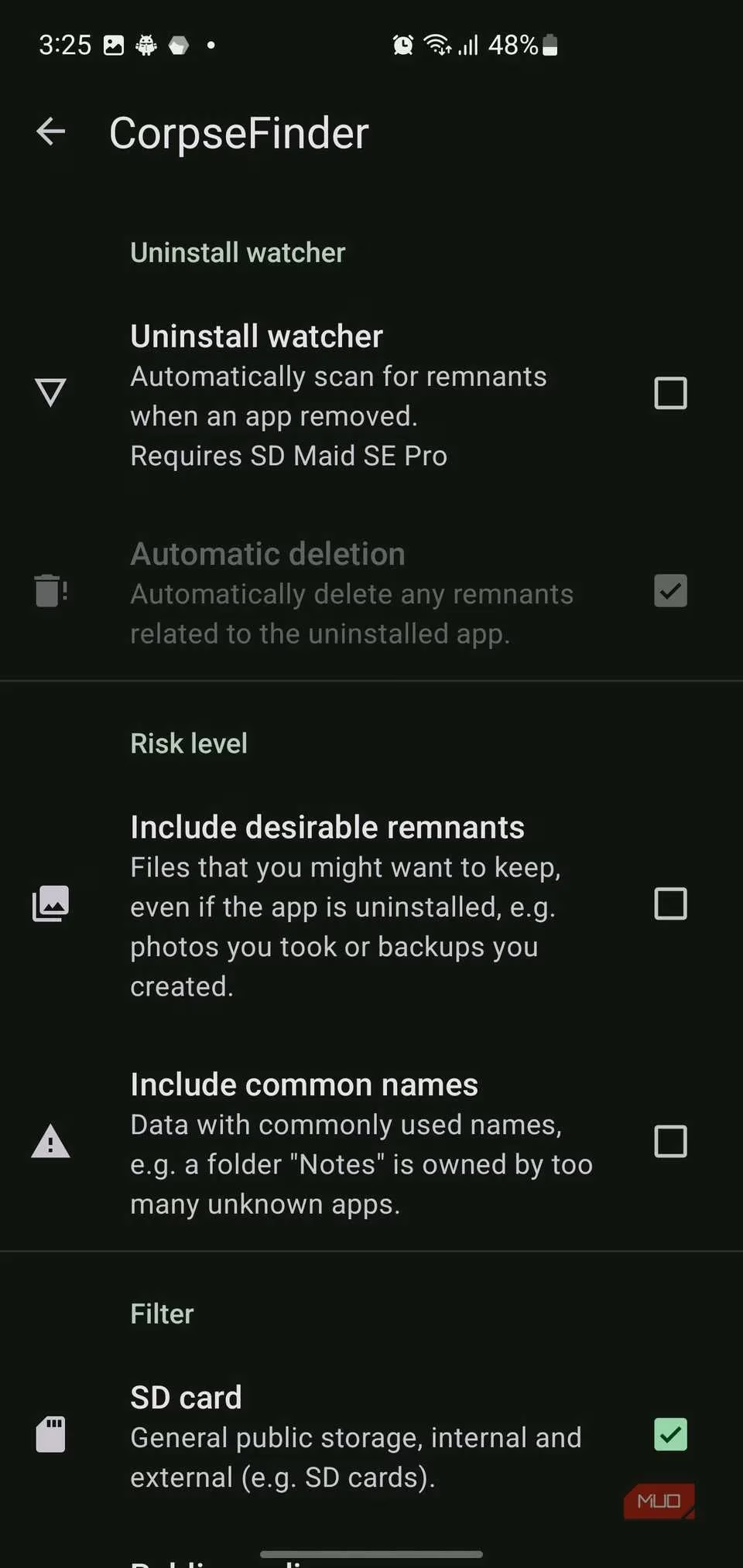
🛠️ Beyond Corpses: A Swiss Army Knife for Storage Management
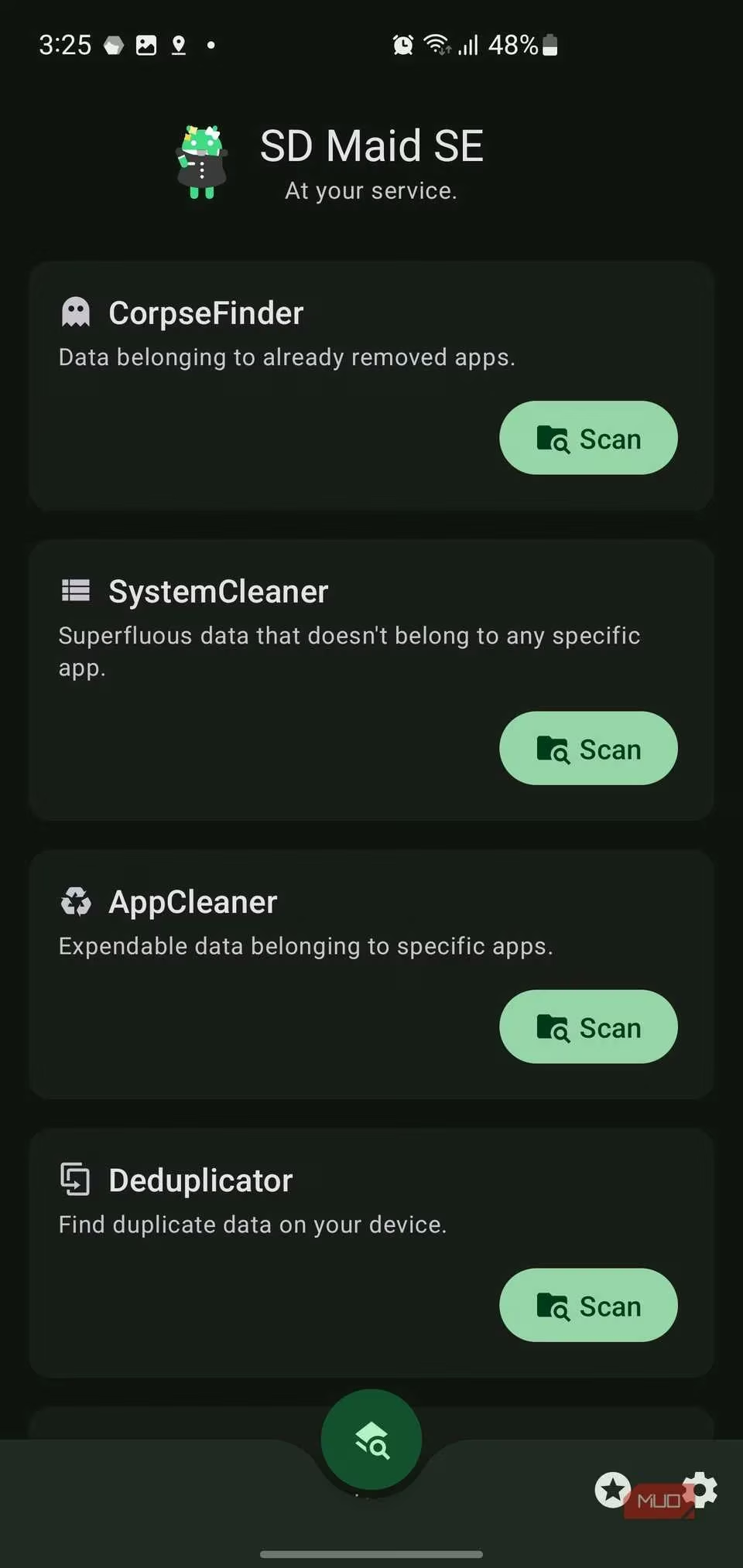
CorpseFinder is just the beginning. SD Maid SE's dashboard presents a suite of powerful, complementary tools that work in harmony. It feels less like a single-function app and more like a comprehensive storage utility suite.
1. AppCleaner: The Deep Cache Excavator
This is where SD Maid's developer research shines. It doesn't just target the basic cache you can clear in Android Settings. It goes deeper, hunting for:
-
🕵️ Hidden caches outside the system's normal purview
-
🌐 WebView files cached by in-app browsers
-
📊 Analytics and advertisement data piles
-
🖼️ Media thumbnail caches
-
⚙️ JVM code compilation caches
-
📱 App-specific junk like old WhatsApp backups and Telegram files
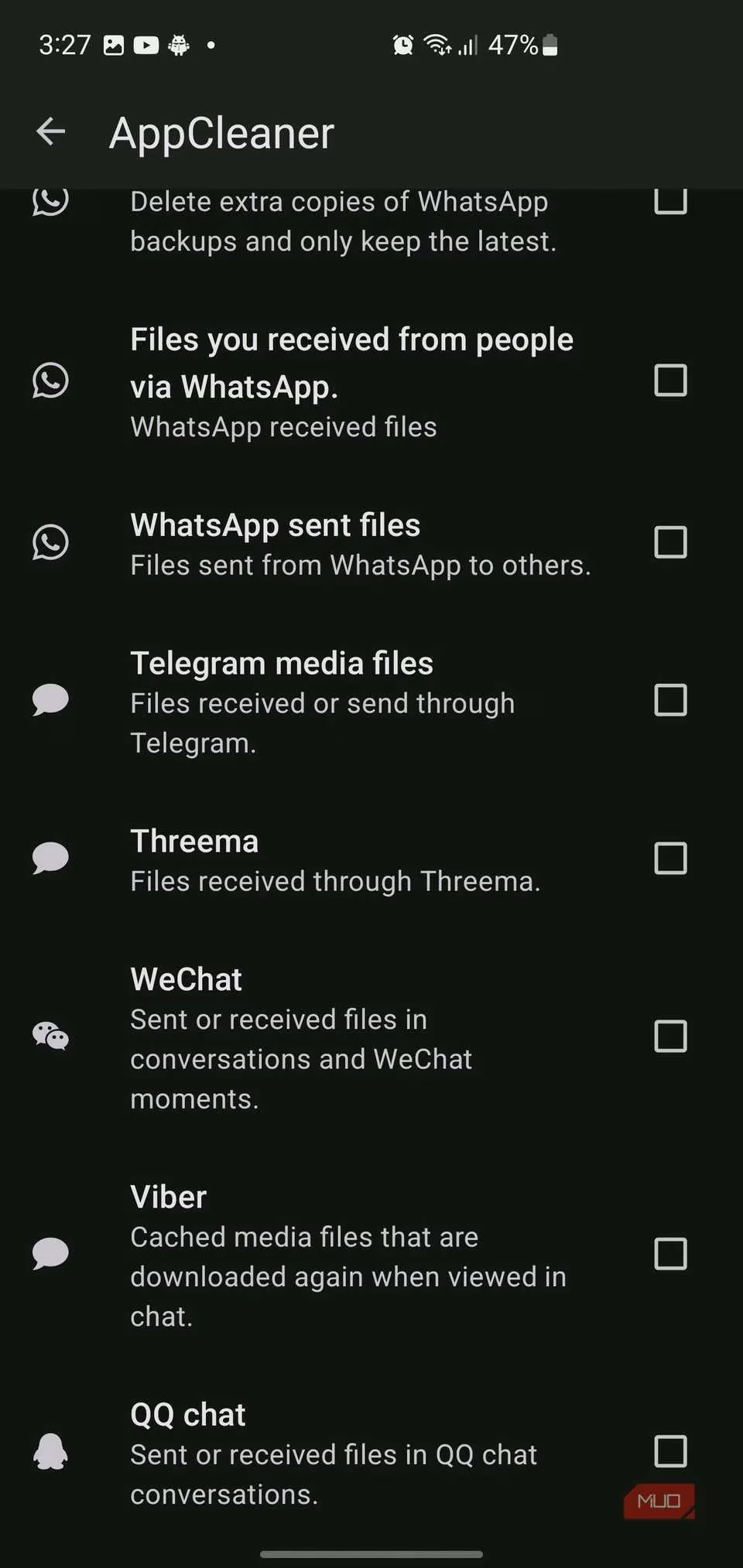
2. SystemCleaner: The OS-Level Janitor
This tool handles the digital detritus that doesn't belong to any single app—the system's own clutter. It finds and removes:
-
📂
LOST.DIRfolders from failed file transfers -
🍎 Hidden
.DS_Storeand.trashesfiles from Mac connections -
🪟 Windows thumbnail database files (
Thumbs.db) -
🗑️ Temporary system files and old logs
-
📦 Redundant, already-installed APK files sitting around
-
🌀 Empty folders scattered throughout your storage
These are files buried in system directories you probably never knew existed, silently wasting space.
3. Deduplicator: The Clone Hunter
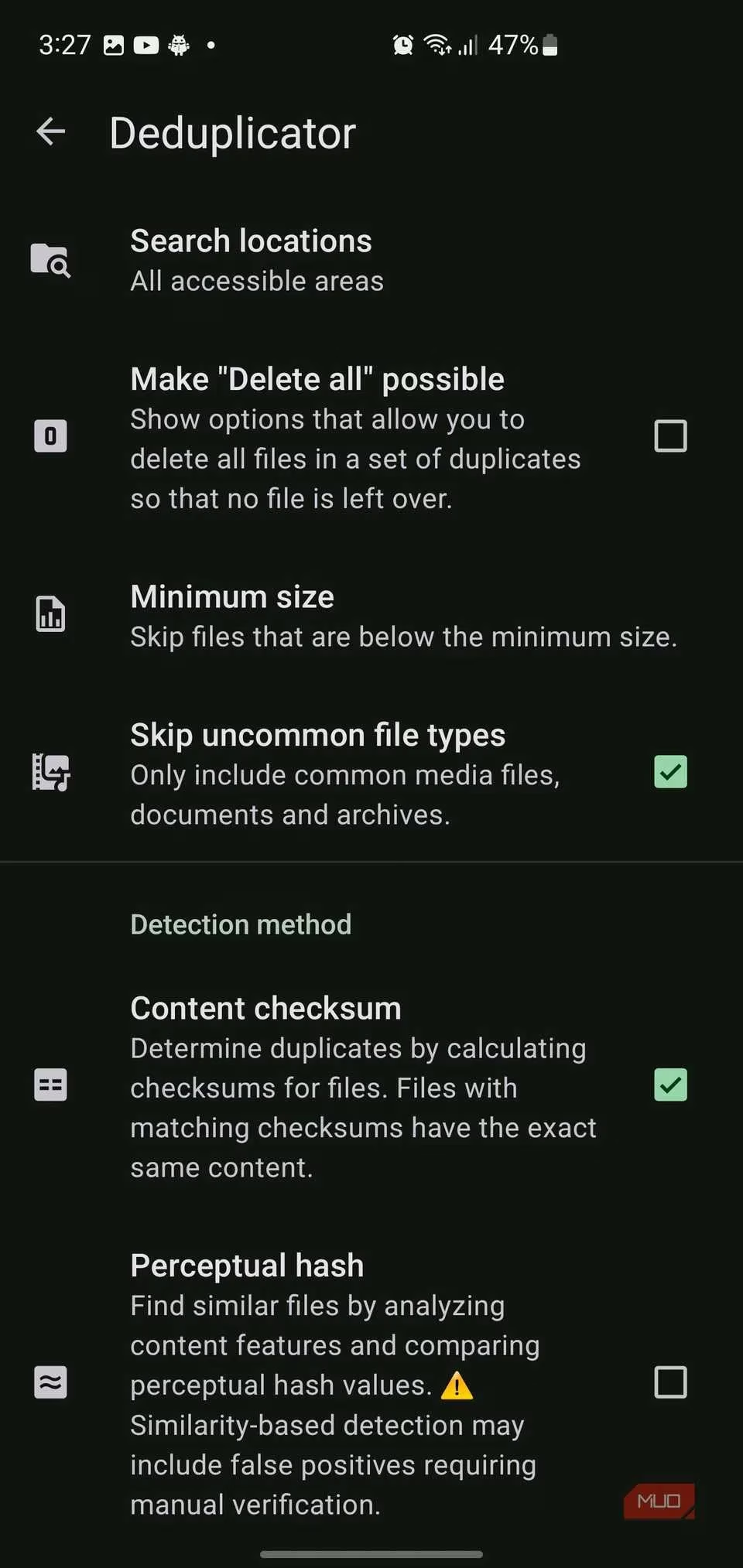
In the age of messaging apps and multiple downloads, duplicate files are inevitable. The Deduplicator is incredibly smart:
-
🔢 Uses content checksums to find byte-for-byte identical files (perfect for downloaded PDFs or documents saved multiple times).
-
🖼️ Employs perceptual hashing to find visually similar images—like when you take 10 nearly identical shots of your cat.
-
⚙️ Lets you set filters: ignore files below a certain size, focus on media types, choose between exact matching or similarity detection.
-
👁️ Offers a side-by-side comparison viewer so you can see duplicates before deleting anything.
Bonus Tools:
-
AppControl: A powerful app manager for freezing, exporting, or inspecting installed applications.
-
StorageAnalyzer: A visual map of your storage, showing exactly which folders and file types are consuming the most space.
🔐 Transparency and Permissions: A Refreshingly Honest Approach
In a world of apps that demand every permission imaginable, SD Maid SE is a breath of fresh air. During setup, it clearly explains why it needs each permission:
-
🔍 File Access: To scan and clean storage.
-
⚙️ Accessibility Service / Shizuku: For advanced features like tracking uninstalls in real-time (for CorpseFinder) and deeper app management. Crucially, the app works perfectly fine without these elevated permissions—you just get a slightly reduced feature set. It's an optional power-up, not a gate.
The settings menu, while extensive, is remarkably well-labeled. Every toggle and option relates directly to the core tools, allowing for fine-tuning without drowning you in technobabble. You can customize filter rules, set scan exclusions, and adjust risk thresholds, all presented in clear language.
📈 The Real-World Impact: Is It Worth It in 2026?
After several weeks of use, the results speak for themselves. This isn't about freeing up 200MB of cache that will be back tomorrow. This is about reclaiming legitimate, permanent storage that was occupied by digital ghosts. Users routinely report recovering multiple gigabytes—space taken by:
-
Old game data from apps deleted years ago
-
Hundreds of duplicate photos and videos
-
Gigantic cache folders from social media apps
-
System logs and temporary files that were never cleaned
🏆 Final Verdict: The Exception to the Rule
SD Maid SE stands as the definitive exception to the "avoid cleaner apps" rule. It succeeds because it fundamentally understands the real storage problems on modern Android and addresses them with precision, transparency, and user control. It doesn't make magical promises about speeding up your phone or 'boosting RAM.' It simply finds the junk you didn't know was there and lets you remove it safely.
Pros:
✅ Actually finds and removes real junk, not just temporary cache.
✅ Unmatched transparency and control over every deletion.
✅ Powerful, specialized tools for corpses, duplicates, and system clutter.
✅ Honest permissions model that works without root/Shizuku.
✅ No ads, no bloat, no shady practices.
Cons:
❌ The interface is functional, not flashy. It's a tool, not a toy.
❌ The sheer number of options might be overwhelming for absolute beginners (though defaults work great).
In 2026, with phones having more storage than ever but also accumulating more digital detritus, SD Maid SE has evolved from a niche tool into an essential utility for anyone who wants to truly manage their device's storage. It's the first and only cleaner app you can recommend to a friend without a hint of irony or apology. If your phone's storage is mysteriously full, stop clearing the same cache over and over. Let the maid in.