
Windows 11 Launcher for Android: A Surprisingly Great Desktop Experience with One Major Flaw
I’ve always been drawn to Android’s limitless customization. The ability to morph a stock smartphone interface into something completely personal is a freedom you simply don’t find on locked‑down platforms. Over the years, I’ve experimented with retro icon packs, gesture‑centric setups, and even Windows Live Tile layouts that brought a wave of nostalgia. So when I first heard about a launcher that could completely transform my home screen into a Windows 11 desktop environment, my curiosity was instantly piqued. I immediately tracked down the aptly named Win 11 Launcher, downloaded it onto my daily driver, and prepared for a dramatic visual overhaul.
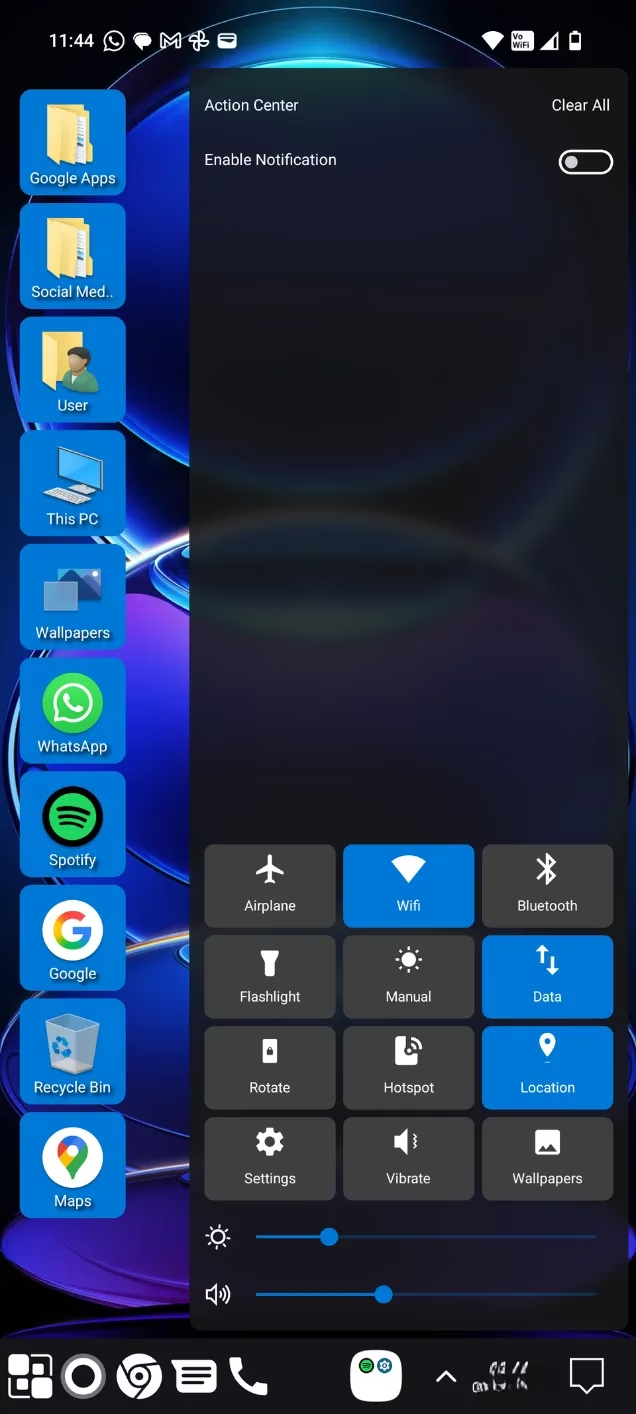
The moment I activated the launcher on my Nothing Phone 3, which was running the Nothing OS 4 beta at the time, the transformation was startling. My breezy, monochromatic home screen was replaced by a familiar, organized chaos: a column of quick‑access system folders running down the left‑hand side of the screen and a sturdy taskbar pinned across the bottom. This wasn’t just a superficial skin; it felt like a genuine desktop portal had opened up on my pocket‑sized device. The Google apps were neatly corralled into their own folder, while my social media and messaging tools—WhatsApp, though I’d categorize it as a messenger rather than a social network—sat waiting in a dedicated group. The stark contrast from Nothing OS’s minimalist black‑and‑white aesthetic made the overhaul feel even more substantial, as if someone had slipped a compact Microsoft Surface into my hand.
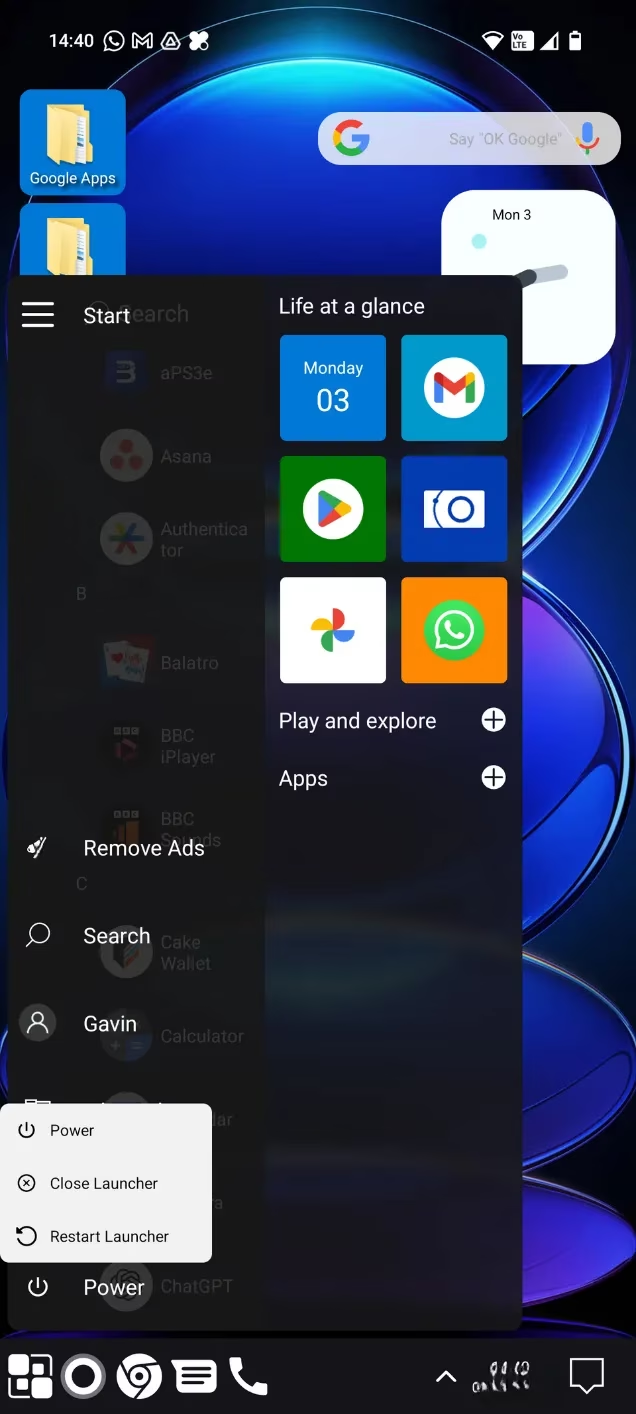
One of the launcher’s most compelling features is the Windows‑style Start menu. To be precise, the design actually channels Windows 10 more than Windows 11 with its tile‑less vertical layout, but that’s a minor aesthetic quibble. Functionally, it’s a joy to use. I can scroll through an alphabetized app list just like on a real PC, quickly jump to settings, pin my most‑used apps for instant access, and even resize the menu if I tap and drag its edge. The start‑menu animation is smooth, and the haptic feedback when I tap an icon adds a satisfying layer of realism. It honestly makes me wonder why mainstream Android manufacturers don’t adopt this pragmatic approach more often.
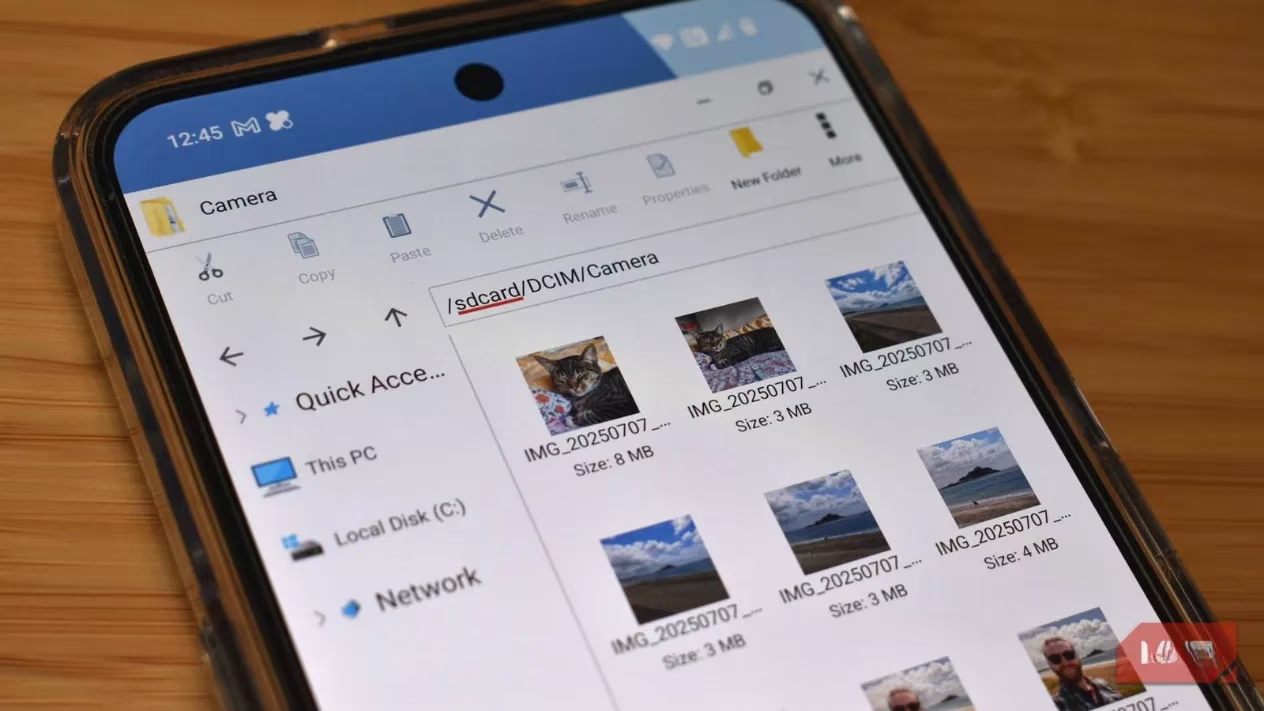
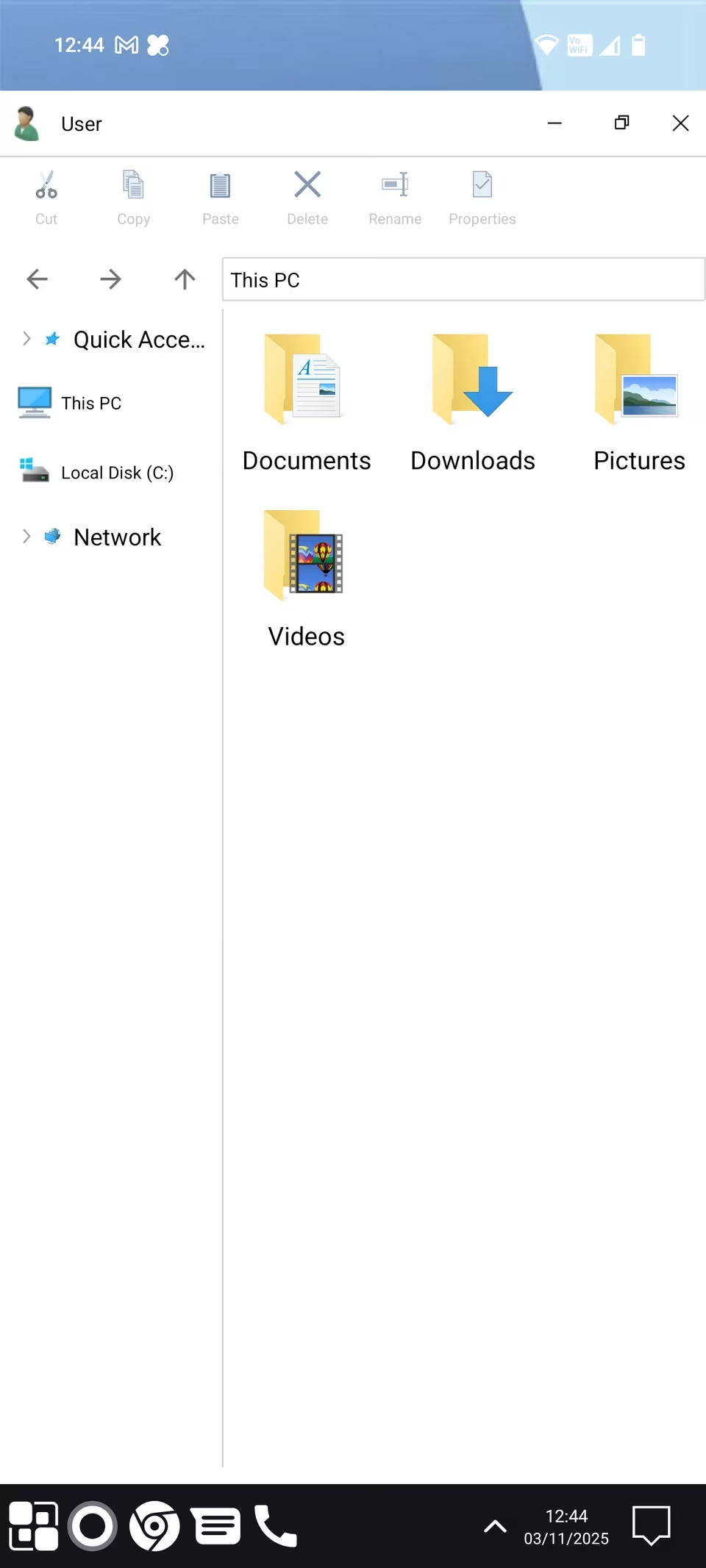
Equally impressive is the integrated File Explorer. As soon as I open it, I’m greeted by a split‑pane layout: Quick Access items and local drives on the left, and a detailed file view on the right. The visual language is spot‑on, complete with those tiny folder icons and neatly spaced typefaces. The launcher does a decent job of mapping Android directories to familiar Windows libraries. For instance, my \u201cPictures\u201d folder was automatically generated, but it housed a peculiar mix: Essential Space captures, Slack downloads, and even a Stardew Valley game folder. My actual photo archive, however, lived under Local Disk > DCIM > Camera, which illustrates the inherent limitations of translating a desktop file structure onto Android’s sandboxed model. Once I learned those quirks, though, navigation became second nature.
I particularly appreciated the networking options tucked into File Explorer. Both LAN and FTP access are built in, promising direct browsing of network‑attached storage. These are premium features, so I didn’t test them extensively, but their mere existence shows that the developer isn’t just aiming for a surface‑level imitation. Another thoughtful detail is the function ribbon that pops up when I long‑press on a file or folder. Options like Cut, Copy, Rename, and Share materialize in a clean bar, and there’s even a view‑mode dropdown that lets me toggle between list, grid, and detailed views—just like in full‑fledged Windows.
The realism extends to system‑level interactions. Tapping the small notification icon in the bottom‑right corner of the taskbar opens an Action Center pane that slides out from the right. Inside, I discover quick‑action toggles for Wi‑Fi, Bluetooth, screen rotation, and more—buttons that usually require a finger‑stretching swipe down from the top of the screen on a standard Android build. It’s a wonderful ergonomic shift that makes one‑handed use far more comfortable, especially on larger phones. The Action Center also groups notifications into collapsible sections, mimicking the behavior of Windows 11\u2019s notification area with surprising fidelity.
Yet, for all its creative genius, Win 11 Launcher harbors a flaw that ultimately drove me away from daily use: the advertising. The launcher is free to download, and I fully understand that indie developers like Spark Planet deserve compensation for their tireless work. The project clearly receives frequent updates, has a 4.6‑star rating on the Play Store, and the $3 premium version that removes ads is undeniably fair. However, the frequency of the interruptions in the free tier is punishing. I\u2019d barely open a folder and flip through a handful of photos before a full‑screen video ad with a countdown timer hijacked my screen. Clear a notification cluster? Another ad. Try out a new desktop theme? Yet another ad. It felt as though an intrusive commercial was triggered after every third or fourth tap, completely shattering the illusion of a seamless desktop experience.
This ad‑heavy approach, likely designed to nudge users toward the paid license, had the opposite effect on me. Instead of opening my wallet, I found myself growing frustrated and began looking for an alternative launcher. It\u2019s a real shame because the core design is so polished. I\u2019ve also dabbled with launchers that simulate other classic operating systems—there\u2019s even a way to bring a Windows XP flavor to your smartphone if you\u2019re craving an older aesthetic—and none of them matched the visual finesse and functional depth of Win 11 Launcher. The attention to detail in the context menus, the live clock on the taskbar, and the customizable tile shortcuts all point to a labor of love.
Ultimately, Win 11 Launcher stands as a testament to what Android customization can achieve. It transforms your phone into a miniature Windows 11 workstation with stunning accuracy, from the Start menu to the File Explorer and Action Center. The small quirks in file mapping are forgivable, and the premium networking features hint at even greater utility. However, the relentless advertising in the free version is a barrier that demands a decision. If you can tolerate the interruptions or are willing to spend a few dollars to unlock the full, ad‑free experience, this launcher could become your favorite Android skin. For me, though, the constant promotional onslaught was simply too much to bear in the long term, and I returned to a more serene home screen setup, though I occasionally miss that familiar taskbar and the satisfying click of a Windows Start menu on my phone.